
Headphones Sound Louder on One Side? Test Windows Left and Right Audio
If one side of your headset is quieter in games, test a voice or channel check outside the game first. Then check Windows mono and balance on the device you actually use.
Quick setup
- Play a known left and right signal on the same headphones.
- For a stereo test, check that Windows Mono audio is off.
- Check device balance and try a second source before changing the EQ.
Check balance on the active output
Open Settings, System, Sound and choose the active output. If it exposes left and right volume, confirm the two settings match for a baseline. Some devices show balance in classic playback properties instead. Turn Mono audio off under Accessibility, Audio to check channel separation.
Work out whether the difference follows your headset
Test a second app or source device. Reseat a wired jack, check the earcup fit, or reconnect a wireless headset. If the difference only appears once voice chat starts, check Bluetooth microphone and output routing.
Retest direction once both sides work
Use Footstep Lab to test left and right again. If that works and front/back remains hard, use the directional hearing walkthrough. SoundSight v2 can add visual cues after you have checked the underlying game audio.
Find out whether the imbalance follows the earcup
Play a centered spoken voice through the headphones. Briefly swap the earcups between ears. If the quiet side moves with the cup, check output balance, the connector, cable fit, or wear on the earpads. If the same ear still sounds quieter, compare another headset or source before compensating with a gain change. Return the headphones to their normal orientation before testing left and right.
SoundSight v2 for Windows
See sound direction once both channels work
Once both headphone channels are working, SoundSight v2 can show the direction of detected footsteps and gunshots in a Windows overlay. It gives you another cue if you still miss where a sound came from.
Check one known left-side or right-side cue in a private session and compare what you hear with what you see.
Get SoundSight v2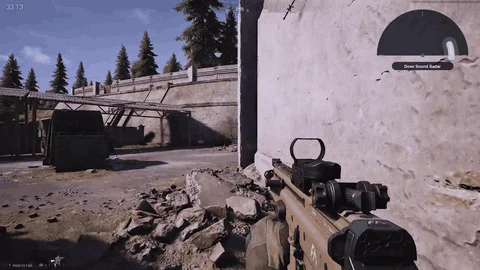
Frequently asked questions
Why do both ears play a left-only cue?
Check Mono audio and any headset or mixer setting that combines channels. Disable those for a stereo test.
Can EQ fix a silent earcup?
First check the connection, balance and output. A filter cannot restore a missing channel.