
Logitech G Pro X 2 Valorant EQ Settings (Tuned Preset)
Valorant footsteps live in crisp midrange detail, and the Logitech G Pro X 2 LIGHTSPEED has its own built-in curve on top of them. This guide uses the G Pro X 2 tuned Valorant preset in DoveSonicEQ: the proven Valorant mix, corrected for this headset, with G Hub flattened so nothing fights the tuning.
1) Flatten G Hub first (EQ and surround)
The most common reason a tuned preset sounds wrong is two EQs running at once. If Logitech G Hub is applying its own EQ curve on top of DoveSonicEQ, the tuned correction gets buried and footsteps smear.
- Set the G Hub equalizer flat or off for the G Pro X 2.
- Turn surround processing off for competitive play. Valorant already has HRTF for direction; doubling spatial effects blurs it.
- In-game: enable HRTF and keep output stereo.
- One EQ in the chain: DoveSonicEQ does the tuning from here. Everything else stays neutral.
2) Load the G Pro X 2 tuned Valorant preset
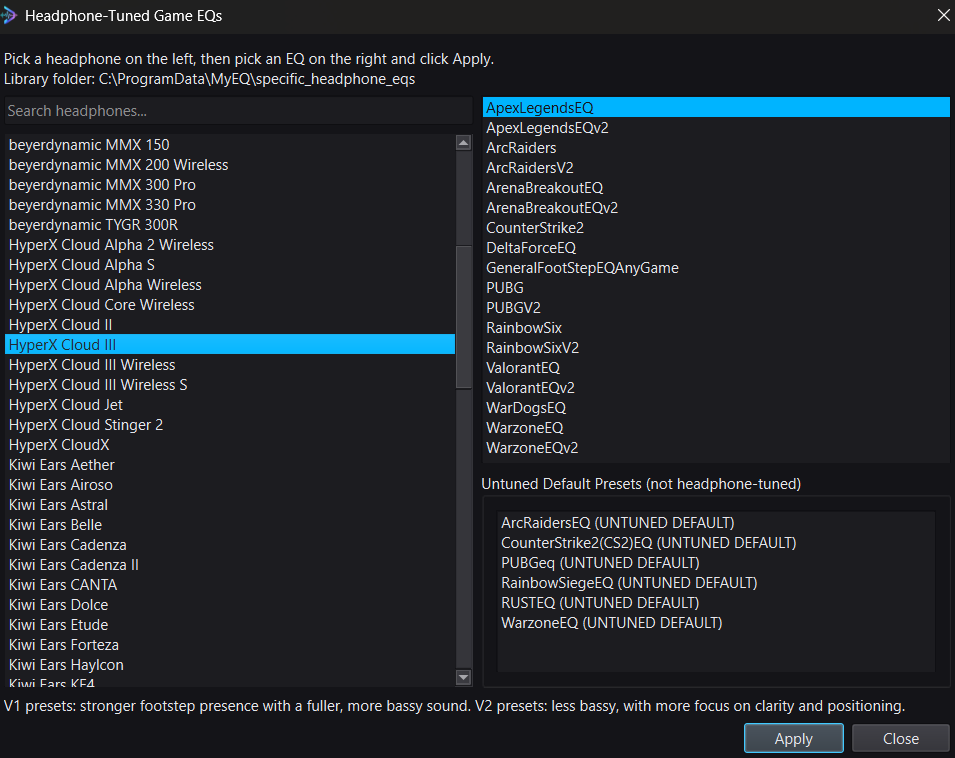
In DoveSonicEQ, open Headphone-Tuned Game EQs, pick Logitech G Pro X 2 LIGHTSPEED on the left, and choose the Valorant mix on the right. Two tuned versions exist:
- V1: stronger footstep presence with a fuller sound. Pick this if steps feel thin or distant.
- V2: less bassy, more focus on clarity and positioning. Pick this for cleaner directional reads.
Flip between the tuned preset and Bypass right away. Abilities should get leaner while footsteps and reload detail step forward. Try V2 first in Valorant: its sound design rewards clarity over weight.
3) Lift steps with Loudness Equalization
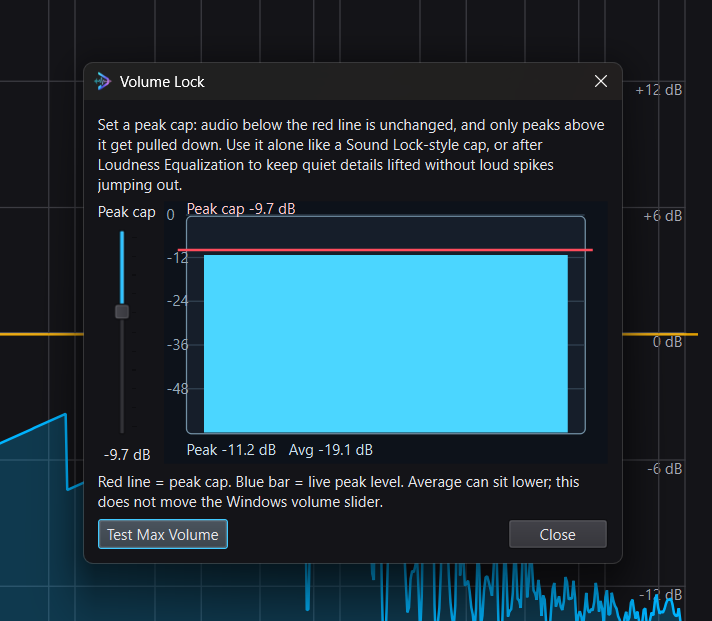
Set Improved Loudness Equalization near 48-50% with Peak Control on, then add Volume Lock only if spikes still bother you. Order: lift, Peak Control, Volume Lock. If direction starts feeling flat, lower the percentage until it returns. Full walkthrough: how to hear footsteps in any game.
4) Save it and prove it
- If your own shots bury steps, add Lower Own Gunfire (V3, strength near 50%). Guide: lower your own gunfire volume.
- Bypass compare the finished setup against untouched sound.
- Save it as one preset: EQ, G Pro X 2 match, and Loudness Equalization travel together. Swap instantly next launch.
Only have sliders? Convert the preset
If you ever need the tuning inside fixed sliders instead of DoveSonicEQ, download the preset text from EQ Presets, paste it into the EQ converter, and get Logitech-style 5-band slider values. Fixed sliders are approximate, but they beat guessing.
DoveSonicEQ
G Pro X 2 tuned Valorant presets, visual EQ, Loudness Equalization tools, Lower Own Gunfire, and Dove AI help in one Windows app.
View DoveSonicEQSoundSight
If you also want to see footsteps, SoundSight draws left/right direction visually while you play.
View SoundSightFAQ
Should I use V1 or V2 on the G Pro X 2?
Valorant rewards clarity, so start with V2. Drop to V1 if steps feel thin or you play loud agents whose abilities crowd the mix.
Does G Hub surround help footsteps?
No. Extra surround on top of Valorant HRTF smears the directional cues the game already provides. Stereo plus HRTF plus the tuned preset is the clean chain.
Can I use the wireless and wired versions interchangeably?
No. Search your exact model: wireless variants measure differently and have their own tuned entries. Use the one that matches your hardware.