
Directional Hearing in Games: Test Footsteps, Front vs Back, and Elevation
Loud enough to hear and easy to locate are different tests. Start by checking left and right. Then test whether you can place a sound in front, behind, or on another floor.
Quick setup
- Check the left and right channels with headphones on.
- Run ten Footstep Lab cues with your normal setup. Note which directions you confuse.
- Repeat the same approach in a private match. Change only one setting at a time.
What your mistakes tell you
Left and right are swapped
Check which earcup you are wearing and which playback output is active. Keep Windows Mono audio off for the test. If voices and test tones are also reversed, fix the channel setup before tuning your EQ.
Left and right work, but front and back sound alike
Compare stereo with one spatial mode. If there is a headset surround switch as well as a Windows or game option, test them individually. Repeat the same front and rear positions without moving the camera.
Every step sounds like it is on your floor
Use stairs and a balcony on a map you know. Keep the listener in one place and ask a friend to alternate floors. Repeat the test outside the stairwell to see if the problem follows the map or your setup.
Run the same test twice
In Footstep Lab, play a short run and note your repeated misses. Then ask a friend to take a known route in a private match. Look straight ahead and call the direction before turning. Give each setup the same number of attempts at a similar volume. Use our stereo and spatial audio comparison if you want a second setup to test.
When a visual cue helps
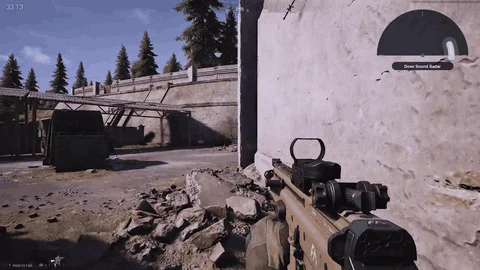
SoundSight v2 is a Windows overlay that uses on-device AI to display the direction of detected footsteps and gunshots. Run the game borderless or windowed and compare where the cue appears with a teammate’s known route. A visual cue can help if you hear movement but struggle to place it by ear. The radar depends on audio the game actually plays, and walls, floors, and overlapping sounds can still make a cue ambiguous.
If loud sounds are masking the step itself, listen to the Dove Footstep Boost demos or compare a gaming EQ preset.
Keep a score for each kind of miss
Change one setting and repeat. Keep the results separate. A setup can make left and right clearer while making floors harder to place. If all of your setups miss the same spot, retest on a different map before replacing your headset.
SoundSight v2 for Windows
See the direction of footsteps during a match
Put a directional radar over your game in Windows. SoundSight v2 uses on-device AI to identify footsteps and gunshots and show their direction as a visual cue.
Use it in borderless or windowed mode. Start with a teammate’s known route so you can see what the cue looks like before a busy match.
Get SoundSight v2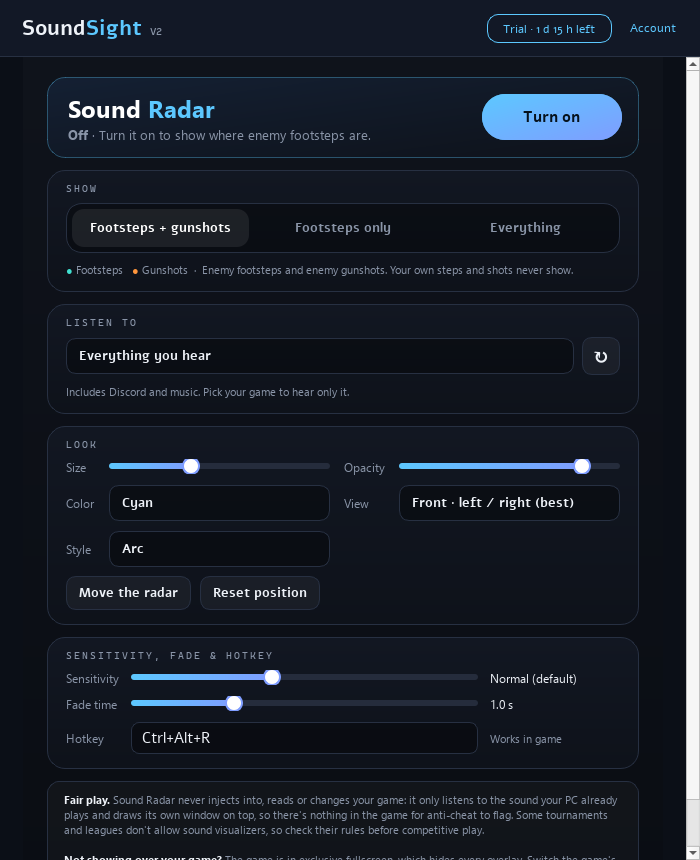
Frequently asked questions
Why do front and back sound the same in my headphones?
The game’s mix, your spatial settings, and how its headphone rendering fits you can all affect direction. Compare the same two positions with one setup change.
Does SoundSight show a location through walls?
It displays directions inferred from detected game audio. Use the cue alongside what you hear and know about the map.
Does louder EQ improve direction?
It can make a quiet cue easier to notice. Use a direction test to see if you also place it more accurately.