
Tune it. See it. Hear it better.

Start with DoveSonicEQ for system-wide EQ, game and headphone presets, Improved Loudness, and Dove AI. Or choose NodeEQ for manual EQ, AutoSonic for automatic game EQ, and SoundSight for visual audio radar.

DoveSonicEQ NodeEQ AutoSonic SoundSight
  • Instant download
  • Windows 10/11
  • One-time license
From $8.99
Complete EQ, AI, presets and analysis

DoveSonicEQ

The complete DoveSonic audio app. Ask Dove to set up a game, start with factory or headphone-tuned presets, use Improved Loudness for quiet cues, or let Dove analyze a short local game-audio sample and build a custom starting EQ.

  • Dove AI can apply settings and refine them from your feedback
  • Factory game presets and a large headphone-tuned library
  • Improved Loudness, Volume Lock, Audio Loops, and live analyzer
  • Manual EQ, Game AutoEQ, and Harman headphone correction
Manual system-wide EQ

NodeEQ

A focused system-wide equalizer for people who want direct control without the larger DoveSonicEQ feature set.

  • Shape EQ directly on a clear live graph
  • System-wide processing through Equalizer APO
  • Game and headphone-tuned preset library
  • Live analyzer and frequency-zone labels
$8.99 See NodeEQ
AutoSonic automatic game EQ interface
Automatic game EQ

AutoSonic

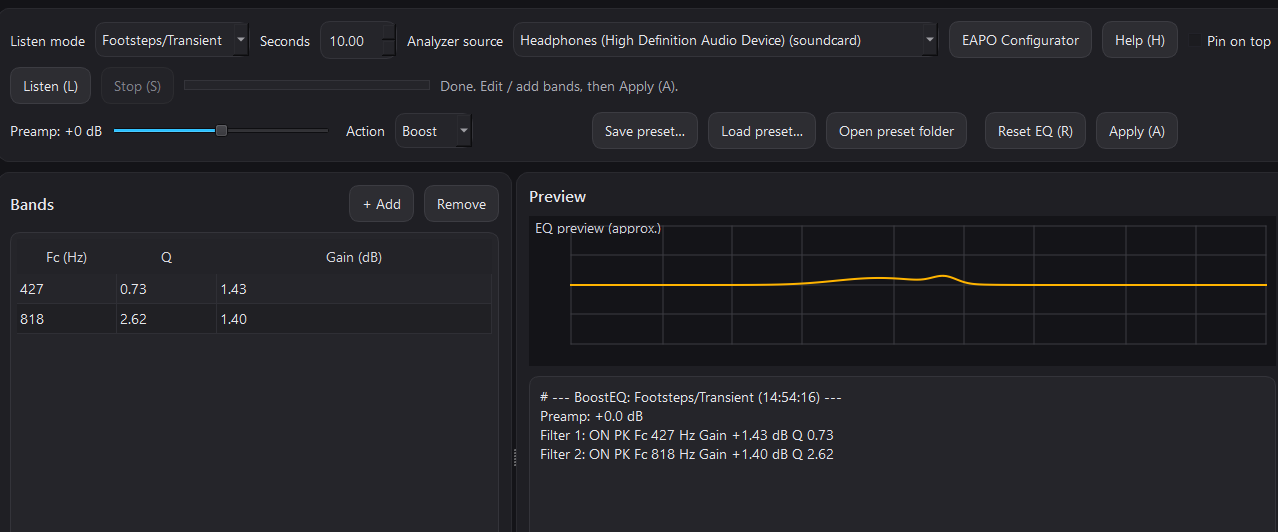
Let AutoSonic analyze a game scene and create a practical starting EQ for footsteps, clarity, or the sounds you want to bring forward.

  • Automatic frequency analysis and EQ suggestions
  • Quick game-focused tuning workflow
  • Headphone-tuned game presets
  • System-wide Equalizer APO output
Visual audio radar

SoundSight

Turn stereo system audio into a clean directional overlay so you can see where important sounds are coming from.

  • Footstep Focus, all-audio, and single-app listening
  • Frameless always-on-top overlay
  • Custom colors, shapes, smoothing, and fade
  • Works independently or beside any DoveSonic EQ app
Complete bundle

DoveSonicEQ + SoundSight

Combine AI-guided system-wide EQ with visual sound direction and keep permanent licenses for both apps.

Start free, then keep your best setup

Try the free game presets and browser audio tools, or open the EQ preset library to see supported games and headphones before buying.