
Pick onepage changes
It listens to your game. Then it fixes what you hear.
Tell Dove what's wrong. It measures your footsteps, knows your headphones and applies a verified EQ in seconds.
Drop in your audio. Get it back finished.
Easy mixing feedback, cleanup, mastering and transcripts for podcasts, voice and music. Say what it needs and Dove renders a new version from your original.
Talk like a gamer. Get the result of an audio engineer.
- Say what you hear"far footsteps are quiet", "my gun hurts", "wind is too loud". Dove understands the problem, not just keywords.
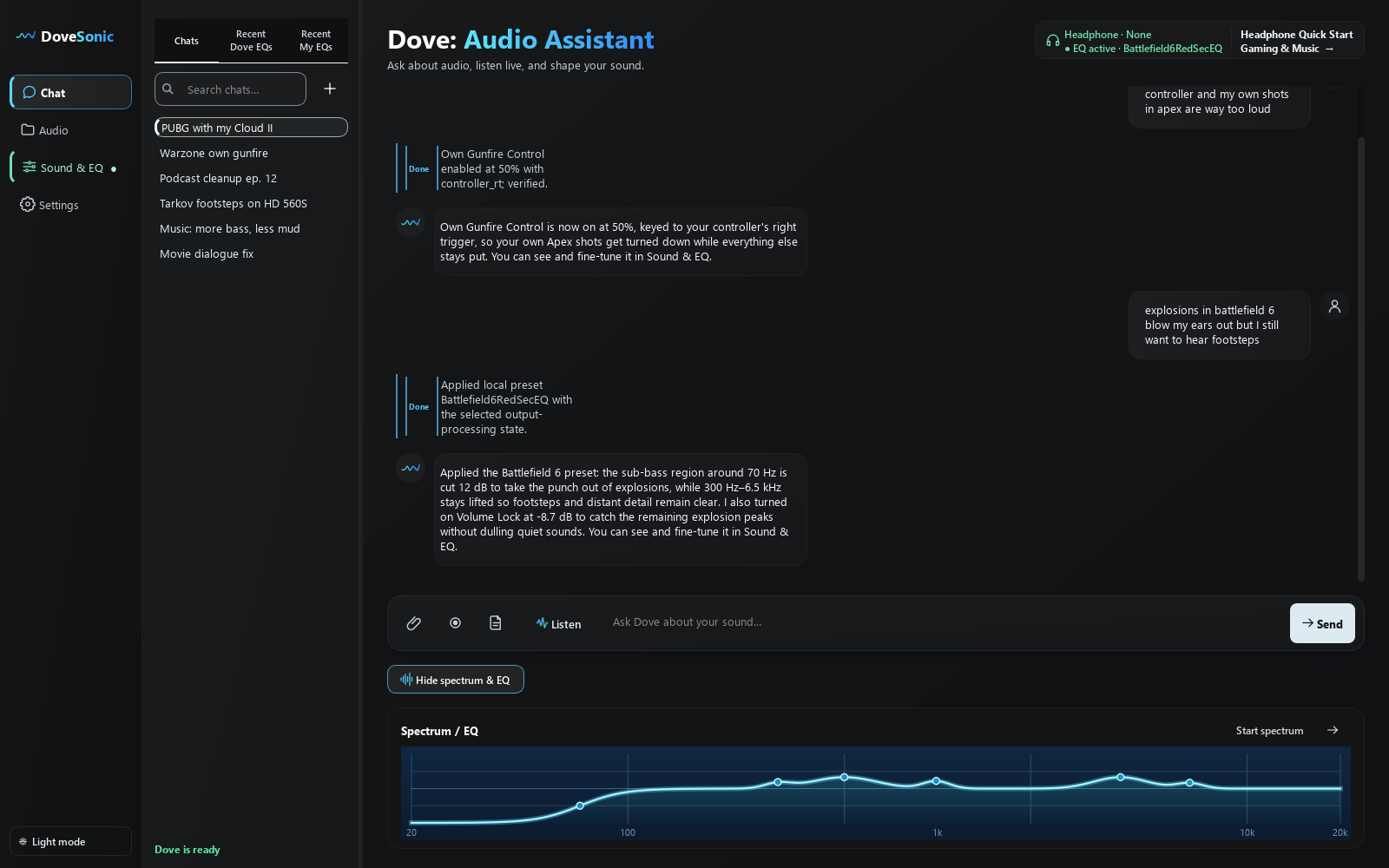
- Dove picks the right toolGame preset, headphone tune, Loudness, Volume Lock, Own Gunfire Control or a custom EQ. It chooses the smallest fix that actually solves it.
- Applied and verifiedEvery change is written through Equalizer APO and read back before Dove tells you it's done. One click undoes it.
- Keep refining in plain words"a bit less", "more bass", "try the other version". Dove remembers what's active and adjusts from there.
Dove doesn't guess your EQ. It measures your footsteps.
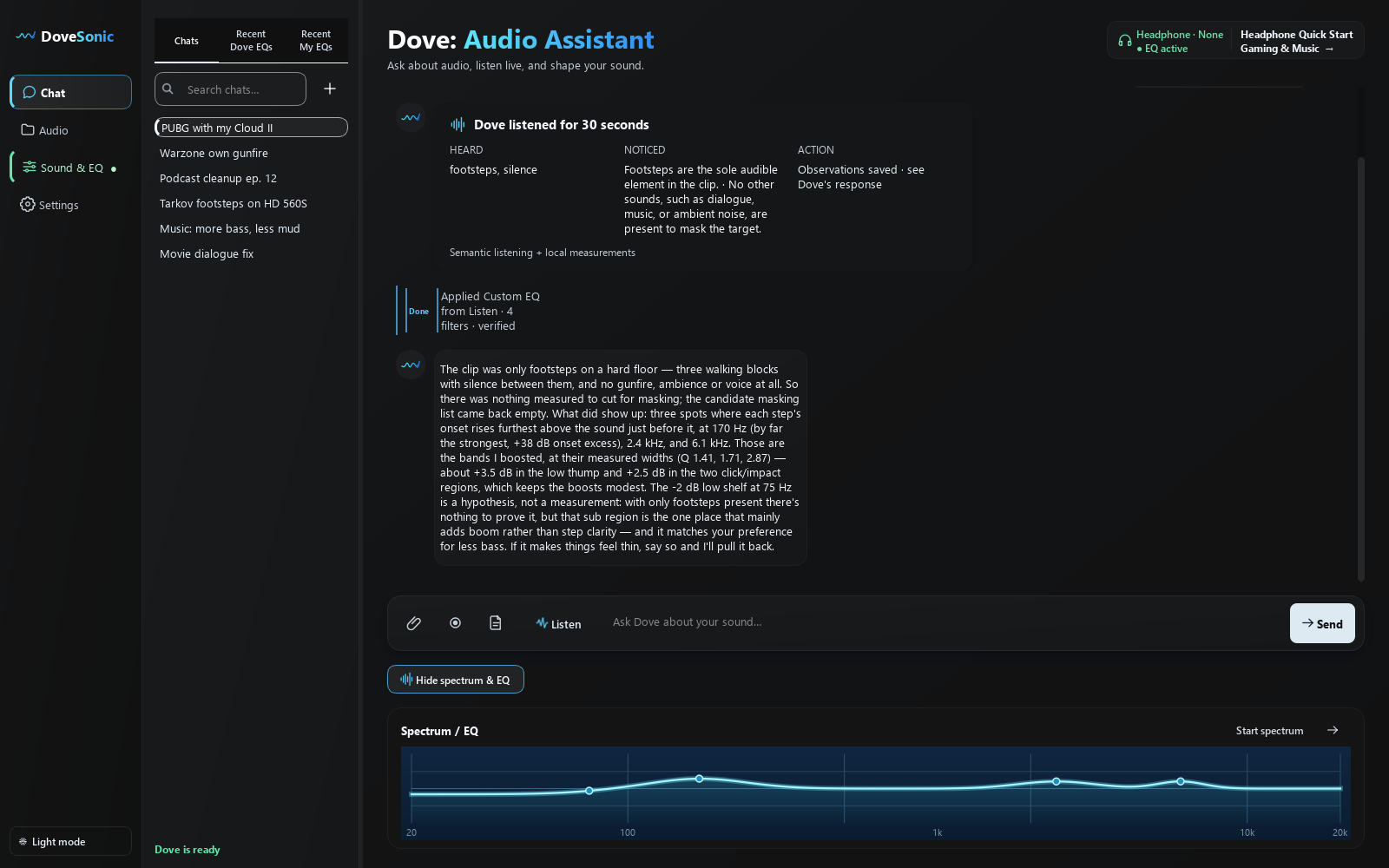
Press Listen during a match. Dove captures up to 30 seconds, an audio AI identifies what's actually in it, and Dove's own analysis compares every footstep with the sound just before it, finding the exact bands where steps cut through, what's masking them, and which side they came from.
In a back-and-forth test, Dove counted 62 steps left, 58 right, 28 centre, and found direction lives at 2–8 kHz, so it never cuts where you aim.
Boosts what cuts through
Each cue region comes with its measured width and Q, so the EQ lands precisely, not as a broad "make everything louder" lift.
Cuts what masks
When gunfire or rumble shows up, Dove finds the bands where it dominates and trims them without erasing a footstep cue.
Honest about evidence
Only steps in the clip? Dove says so. Not enough evidence? It falls back to a proven game preset instead of inventing a curve.
Every headset sounds different. Dove knows yours.
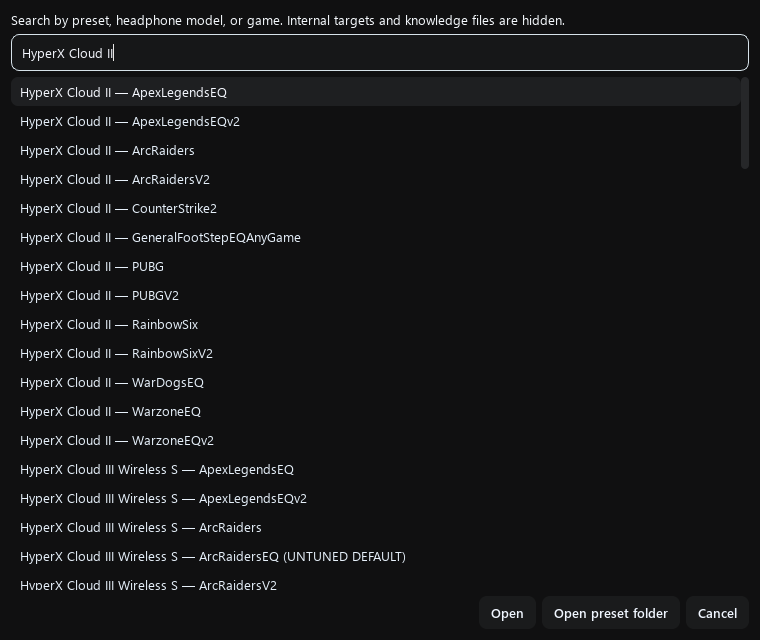
Say "I have HyperX Cloud II" once. Dove picks the best possible start for every game, and if there are two tunes it tells you, so you can try both.
98 headphones have hand-tuned V2 and V1 presets per game. Dove loads V2 first, then tells you V1 exists if V2 feels light on bass.
780+ headphones have measured frequency responses. Dove fits each game's target to yours, including targets derived from 91 tuned headsets that agree within about 1 dB.
For a game without a target, Dove starts from the factory preset and adds a gentle, capped correction from your measurement. Clearly labelled as Dove-tuned.
No headphone info? You still get the curated factory preset for your game, plus Harman or custom target matching any time.
Two tunes. Try both. Keep your favourite.
Just ask "can I try the other version?" Dove switches instantly and keeps your Loudness and limiter settings, so you compare the EQ and nothing else.
Every pro audio tool. Controlled by one sentence.
Everything below works by just asking. Dove picks the right one, explains why, and won't stack tools that fight each other.
Own Gunfire Control
Turns down your own shots while you hold Mouse 1 or the controller trigger, leaving enemy footsteps untouched.
"my own gun hurts"Volume Lock
A final limiter that catches explosions and sudden peaks so they stop blasting your ears.
"explosions blow my ears out"Refined Loudness
Lifts quiet, distant details like far footsteps and reloads. Dove raises or lowers it as you describe what you hear.
"far footsteps are too quiet"Game presets
Curated factory EQs for 13 competitive games, plus General Footsteps for anything else.
"set me up for Tarkov"Auto-Switch EQ by app
Your game EQ when the game is open, your music EQ when Spotify is. Saved per app, switched automatically.
"use this EQ whenever Valorant runs"Per-app volume
Turn Discord down without touching your game, straight from chat through the Windows mixer.
"Discord is too loud"Advanced EQ editor
A big live graph, an exact filter table, spectrum freeze and frequency isolation for when you want full control.
open Advanced EQ editorUndo, A/B and history
Every change can be undone, compared, or restored. "Go back to the EQ from earlier" just works.
"go back to the first one"Presets your way
Official, headphone and your own presets, a watched preset folder, DoveSonicEQ import and community presets.
"save this as my Valorant preset"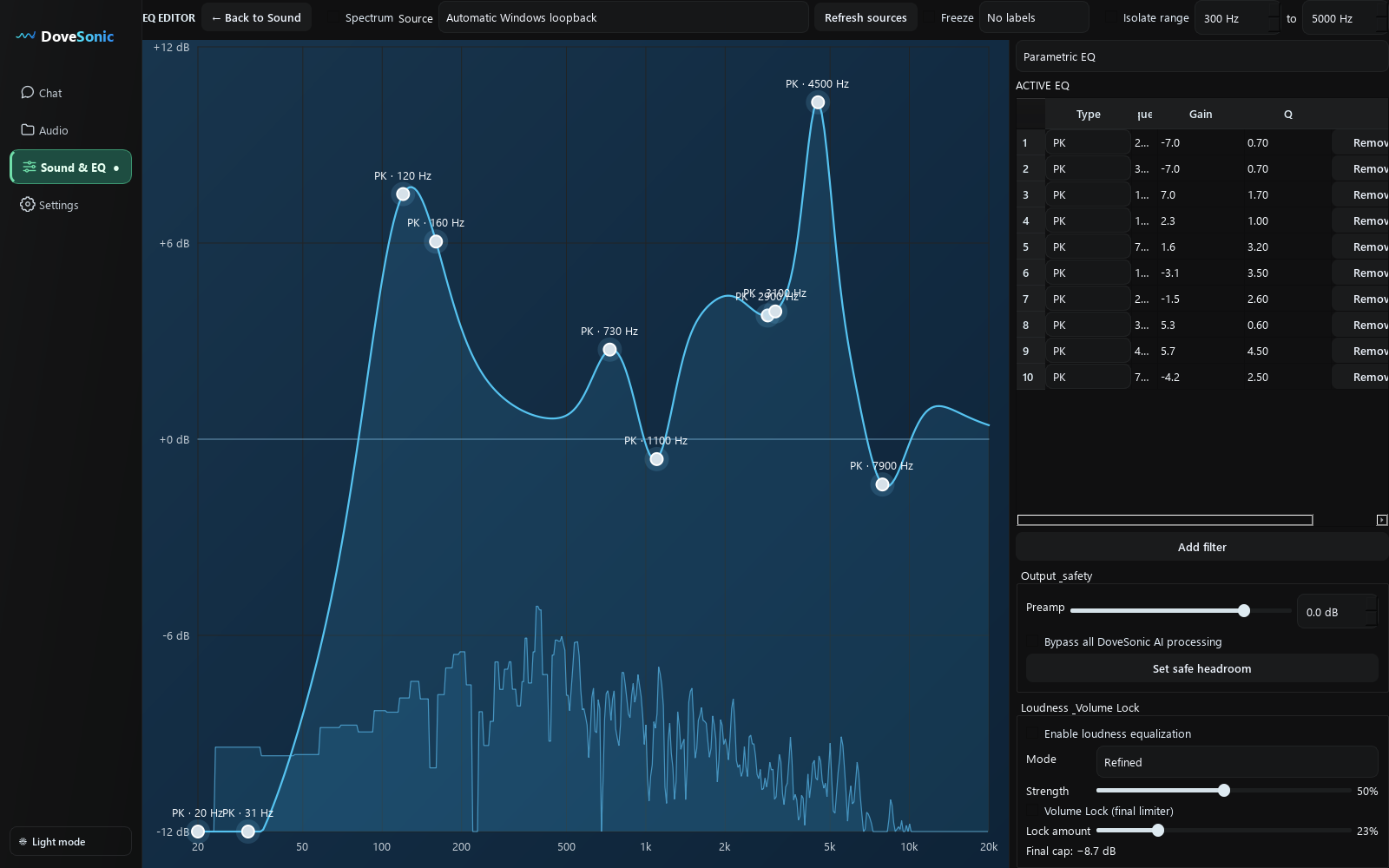
Your whole PC's audio, one assistant.
The same ears that find footsteps help with music, movies, podcasts and recordings, and Dove always asks whether you mean your headphones or the file.
Podcast & voice feedback
Honest notes on pacing, clarity and recording quality from the actual audio, not a generic checklist.
Clean up & master files
High-pass rumble, gentle compression and loudness targets, rendered from the original. Dove tells you if a song is already too loud to push further.
Private Live Transcript
Live captions for anything playing on your PC, transcribed locally on your machine. No upload, no extra cost.
Music EQ that respects the song
"More bass but not muddy" gets a tight low shelf and a mud cut, not a bass smear. Tone it down or undo with a word.
Movie dialogue
Lifts voices out of loud scores and explosions with a dialogue-clarity curve and optional peak control.
Ask anything about audio
"What's the difference between Loudness and Volume Lock?" gets a straight, accurate answer about your setup.
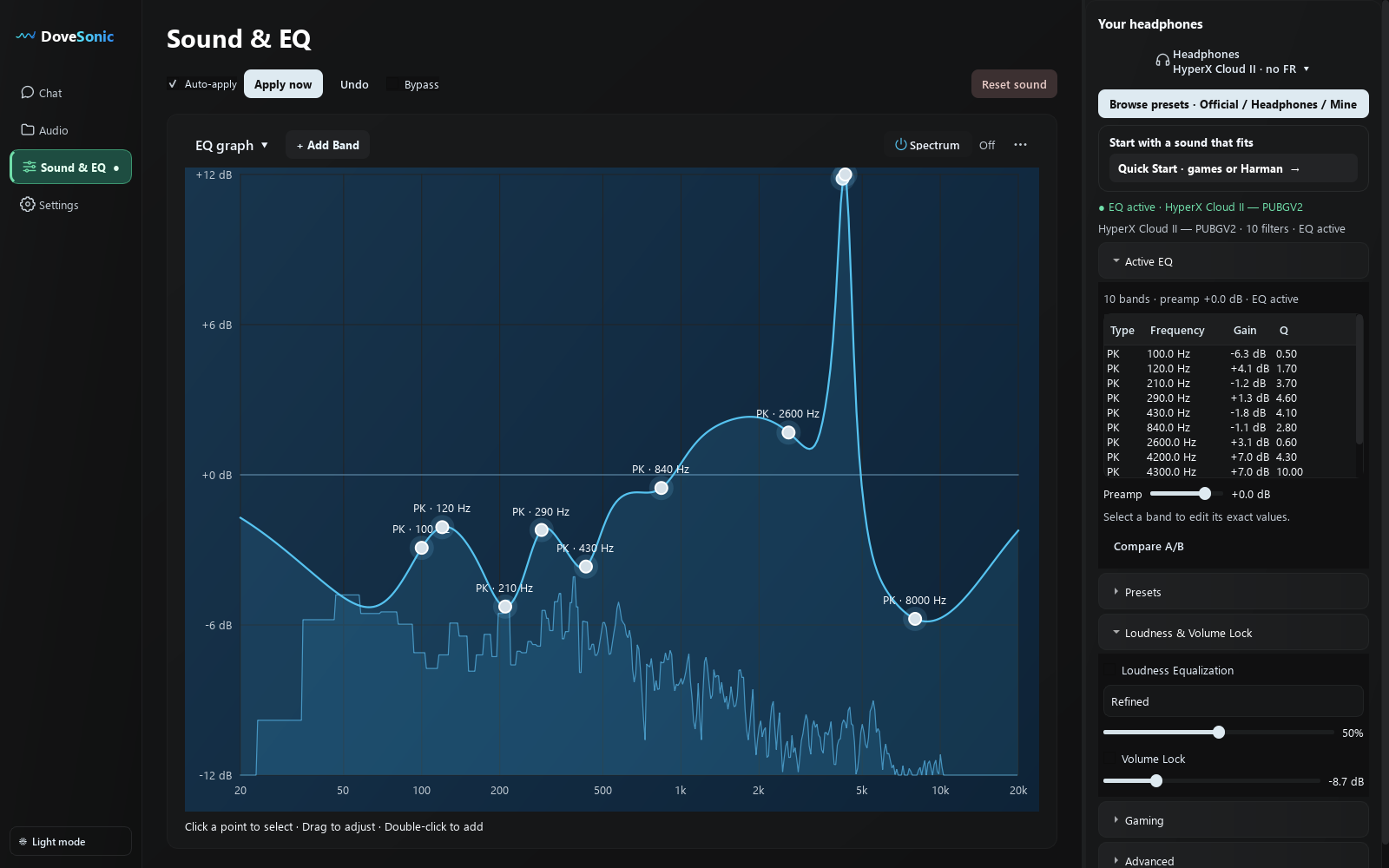
Talk like a creator. Get the result of an engineer.
- Drop a file or record your PCMP3, WAV and more. Or record anything playing on your PC straight into your Audio Library.
- Dove listens and gives real feedbackAn audio AI hears what's actually in it while Dove measures levels, peaks and tone, so the notes are about your recording, not a checklist.
- Ask for the change in plain words"Clean it up", "remove the rumble", "master it louder". Dove picks the smallest recipe that does the job.
- A new version, rendered from the originalYour original is never touched. Play, compare and export the new version as WAV or MP3.
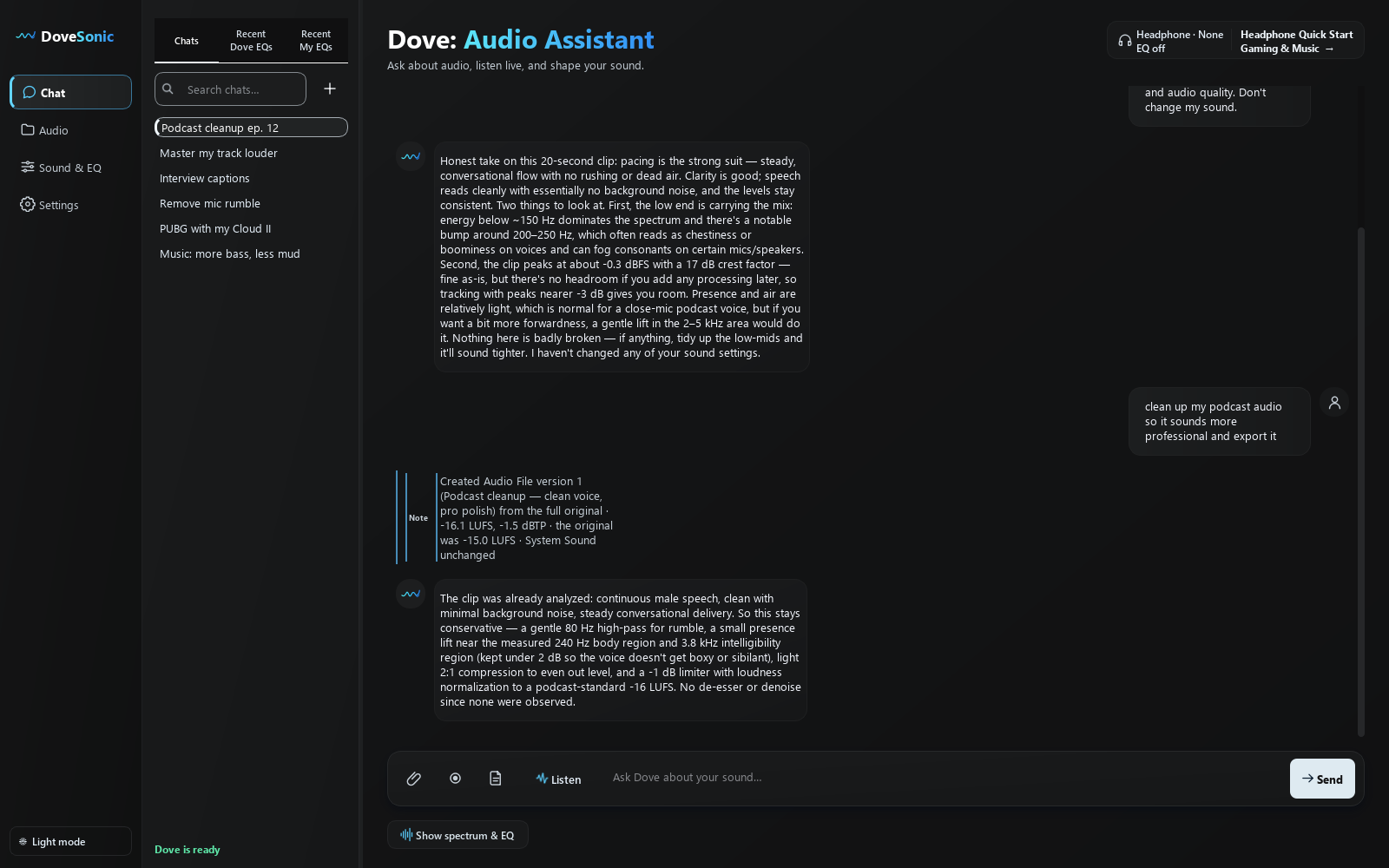
Honest ears, then precise processing.
Dove only adds what your audio needs. Real example: asked to master an already-loud track (-8.8 LUFS, clipping), Dove said plainly it couldn't get meaningfully louder without distortion, and offered the "punchier" part instead.
Podcast & voice feedback
Pacing, clarity, levels and tone from the actual recording, with timestamps when they matter.
"is my pacing too rushed?"Cleanup that stays natural
High-pass for rumble, gentle compression, de-essing or denoise only when the audio actually needs it.
"remove the low rumble"Mastering with honest loudness
Loudness targets, peak limiting and a measured before/after: every version reports its LUFS and how it compares to the original.
"master this louder and punchier"Mix feedback for music
Balance, low end, brightness and vocal clarity, like "the vocal enters at 20.5 s and sits slightly behind the synths".
"is my vocal buried?"Versions, never overwrites
Every render comes from the full original. Play, compare, revise or export: the original stays untouched.
"make it a bit more natural"Long files, any section
Analyze any range of a long recording, up to 30 minutes per run, then ask about any part of it.
"listen to 12:00–12:30"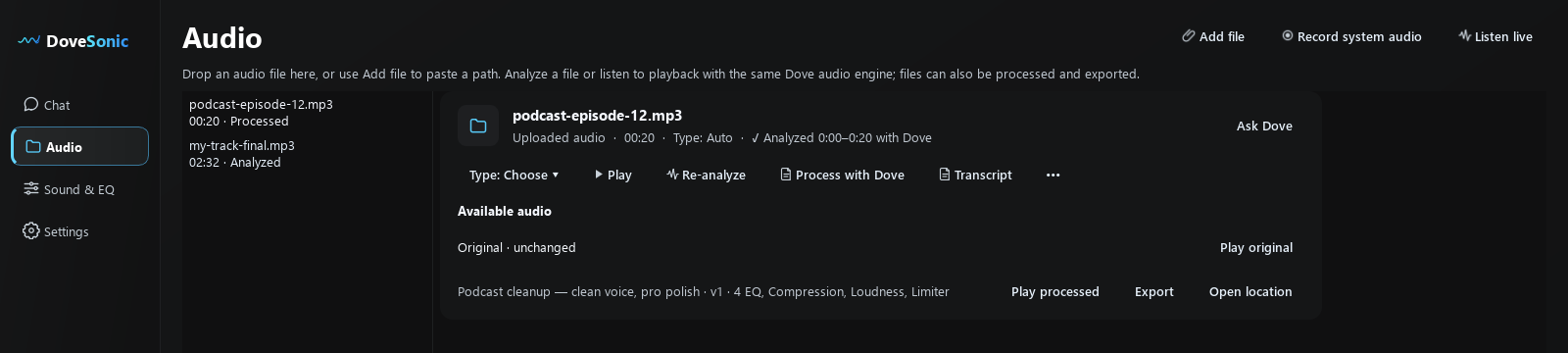
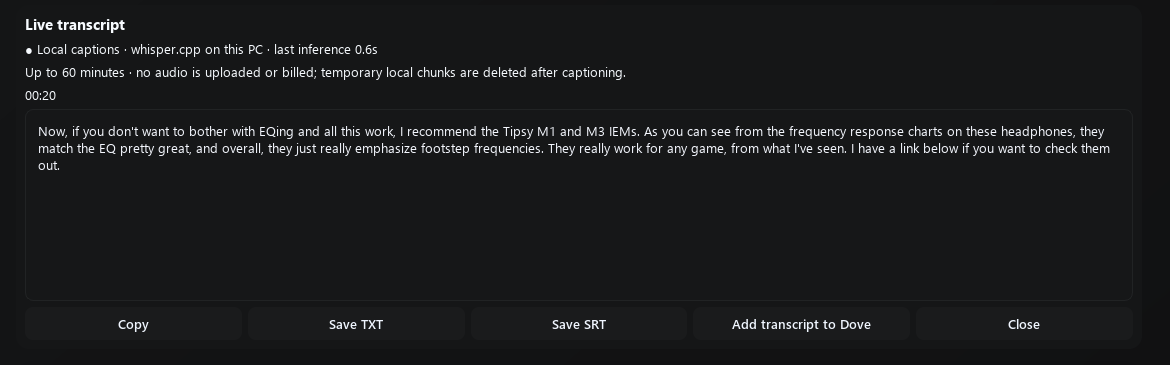
Every word, searchable and exportable.
- Private Live TranscriptLive captions for anything playing on your PC for up to 60 minutes, transcribed locally on your machine. No upload, no extra cost. Copy, save TXT or SRT, or hand it to Dove.
- File transcriptsAccurate transcripts of imported recordings, then ask "where did we talk about pricing?" or "summarise the second half".
The same app tunes your headphones for every game.
One assistant for every sound on your PC.
Ask in plain words. Dove picks the right tool, applies it through Equalizer APO and checks it worked.
🧰 Already use DoveSonicEQ? It's all here.
Dove includes the DoveSonicEQ toolkit (game and headphone presets, Loudness, Volume Lock, Own Gunfire Control, Auto-Switch, Audio Loops, graphic EQ, Harman headphone correction and community presets), rebuilt around AI. Listen replaces Game AutoEQ with real measurements, and you get mixing, mastering and transcripts on top. Your DoveSonicEQ presets import in one click.
🎮 Hear footsteps first
- Listen to your real game audio and measure every footstep
- Precise boosts where steps cut through, cuts where they're masked
- Left/right balance for directional cues
- Game presets for Apex Legends, ARC Raiders, Arena Breakout: Infinite, Battlefield 6 / REDSEC, Counter-Strike 2, Delta Force, Escape from Tarkov, PUBG, Rainbow Six Siege, Rust, Valorant, War Dogs, Warzone
🎧 Headphone EQ
- 98 hand-tuned headsets, V1 and V2 tunes
- 780+ measured headphones matched to game targets
- Factory preset first, then a version tuned to yours
- Import your own measurements or DoveSonicEQ presets
🔫 Gunfire & loudness
- Own Gunfire Control tames your own shots (mouse or controller)
- Volume Lock for explosions and loud peaks
- Loudness Equalization lifts quiet, distant sounds
- Auto-Switch loads the right sound for each game or app
🎛️ Custom EQ by chat
- "More bass", "less harsh", "clearer voices": it just does it
- Advanced EQ editor with a live spectrum
- Movie and music sound profiles
- Undo anything, compare A/B, save presets
🎚️ Easy mixing & mastering
- Ask "is my vocal buried?" and get honest mix feedback
- One-sentence fixes: rumble, hiss, harshness, de-essing
- Master to a loudness target, like -14 LUFS for streaming, with true-peak safety
- Podcasts, voiceovers and songs; MP3/WAV export as new versions
📝 Transcripts & captions
- Private live captions for anything playing, run on your PC
- Accurate transcripts of imported recordings
- Ask "where did we talk about pricing?"
- Copy, or save as TXT or SRT
It never claims a change it didn't make.
One-time payment for 30 days of access.
Not a subscription: it never renews or charges you again. Each pass adds 30 days, so buying early never loses time.
- Chat, Listen and file analysis with a generous daily allowance
- All game presets, 98 tuned headsets and 780+ measurements
- Mixing feedback, cleanup, mastering and transcripts for your audio files
- The DoveSonicEQ toolkit: Own Gunfire Control, Volume Lock, Loudness, Auto-Switch and more
- Private local Live Transcript
- Updates and new game targets as they ship
Secure checkout by Stripe or PayPal. Access starts at purchase and ends 30 days later. Download and sign in from My Downloads.
What do I need?
Windows 10 or 11, an internet connection for the AI, and Equalizer APO. Dove's installer walks you through connecting it once.
Does Listen record my mic or my voice chat?
Listen captures what your PC is playing, only when you press Go, for up to 30 seconds. The clip is saved locally in your Audio Library.
My headphones aren't in the list. Does it still work?
Yes. Over 780 headphones have measured responses Dove can match to game targets, and every game has a curated factory preset. Dove also accepts your own measurement files.
Will it make everything louder?
No. Dove boosts only where the footsteps measurably cut through, trims what masks them, and warns you if a boost could clip.
What's sent to the cloud?
Your messages go to the chat AI; Listen clips go to the listening AI. During early access, chat text (never audio or EQ files) is kept for 30 days to improve quality.
I already own DoveSonicEQ. What's different?
Dove includes the DoveSonicEQ toolkit (game and headphone presets, Loudness, Volume Lock, Own Gunfire Control, Auto-Switch, Audio Loops, graphic EQ, Harman headphone correction and community presets), rebuilt around AI: it listens, reasons and runs every tool for you by chat, with Listen in place of Game AutoEQ. It adds mixing feedback, mastering, cleanup and transcripts for audio files. Your DoveSonicEQ presets import in one click.