
Best EQ Software for Gaming on PC (2026)
Most "best EQ" lists rank music apps. Gamers need something narrower: footsteps you can hear, gunfire you can survive, and setup you will actually finish. We make three of the options below, so this page tells you honestly which fits whom, including the free route that costs nothing.
1) The short comparison
- Game footstep presets included: DoveSonicEQ yes, AutoSonic generated per game, NodeEQ loadable free downloads, Peace/APO manual import.
- Headphone-tuned versions: DoveSonicEQ yes. Everyone else: tune it yourself.
- Loudness equalization: DoveSonicEQ (Improved plus Peak Control plus Volume Lock) and NodeEQ. AutoSonic EQ only. Peace/APO needs manual compressor chains.
- Lower own gunfire: DoveSonicEQ only.
- AI setup help: DoveSonicEQ (Dove AI) only.
- Price and effort: Peace/APO free but fully manual. NodeEQ cheap manual. AutoSonic cheap automatic. DoveSonicEQ the complete package.
2) DoveSonicEQ: the one most gamers should get
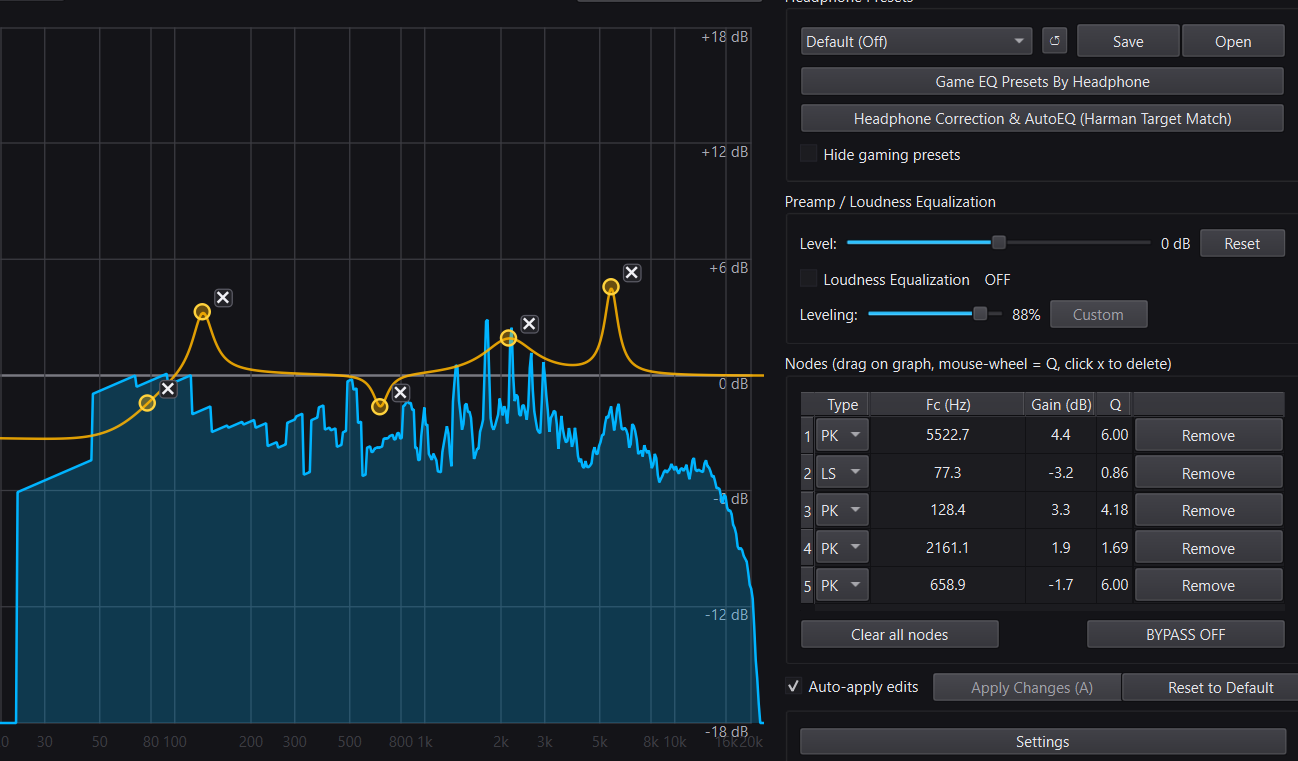
DoveSonicEQ is the flagship because it removes every excuse: factory presets per game, versions tuned for your exact headphones, a visual EQ on a live spectrum, one-slider loudness with Peak Control and Volume Lock, Lower Own Gunfire for your own shots, Quick Setup that finishes in about a minute, and Dove AI that sets it up with you in plain words. If you want footsteps handled rather than a hobby, start here.
- Best for: Warzone, Valorant, CS2, Apex, PUBG, R6, Delta Force players who want results today.
- Try first: hear footsteps in any game, then the tuned guide for your headphones.
DoveSonicEQ
Game presets, headphone-tuned versions, loudness tools, Lower Own Gunfire, and Dove AI help in one Windows app.
View DoveSonicEQ3) NodeEQ: the manual tuner's pick
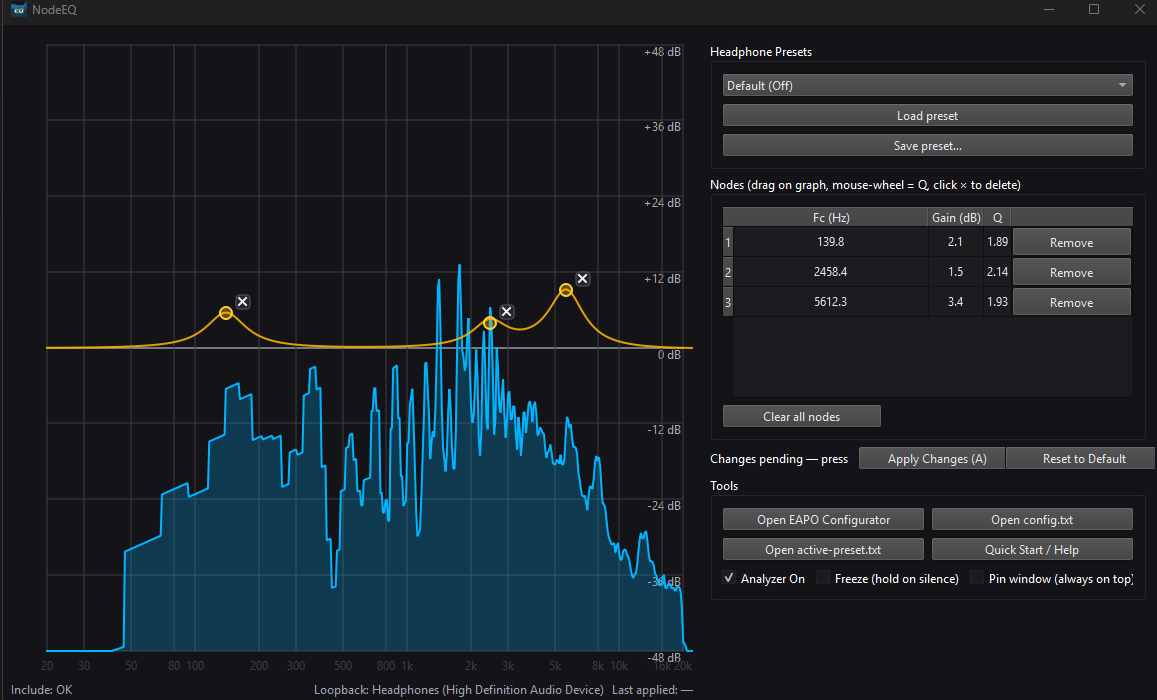
NodeEQ is the tighter, cheaper, hands-on option: live spectrum, editable EQ nodes, preset importing, and loudness equalization through Equalizer APO, without the assistant, headphone-tuned library, or gunfire control. If you enjoy tuning curves yourself and want to spend less, this is the honest pick. Every free preset on our EQ Presets page loads straight into it.
- Best for: tinkerers who want manual control at a lower price.
NodeEQ
Manual system-wide EQ with live spectrum, preset imports, and loudness equalization.
View NodeEQ4) AutoSonic: the zero-effort pick
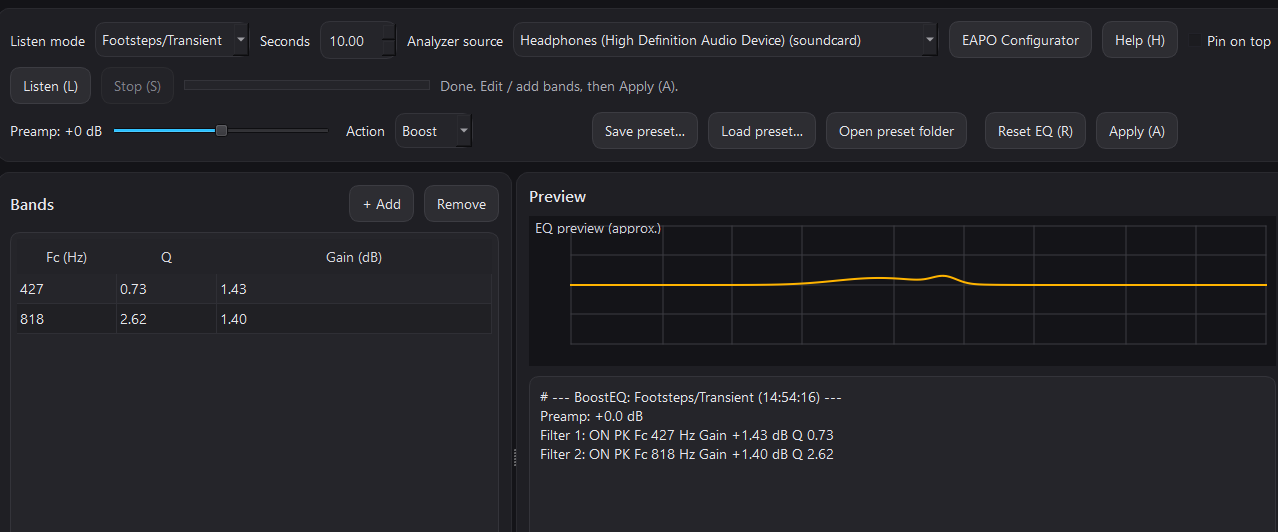
AutoSonic listens to your game for a few seconds and builds an EQ starting point from your actual audio. No presets to browse, no curves to learn. It is EQ only: no loudness tools, no gunfire control, no headphone matching. If you want better sound with zero decisions, this is it.
- Best for: players who want one click and done.
5) Equalizer APO plus Peace: the free route
Equalizer APO with the Peace interface costs nothing and can do anything, given enough of your evening. Parametric EQ, manual filters, compressor chains for leveling if you build them yourself. What you do not get: presets, headphone matching, loudness one-clicks, gunfire control, or anyone to ask when it breaks. Fair trade if your budget is zero and your patience is not.
- Best for: free, full control, DIY-or-die setups.
- Bridge option: our free EQ presets plus the parametric-to-graphic converter make even the free route faster.
6) How to choose in 30 seconds
- "I just want footsteps handled": DoveSonicEQ.
- "I like tuning and want to spend less": NodeEQ.
- "I want to click once and play": AutoSonic.
- "I want free and I will learn it": Equalizer APO plus Peace, with our free presets.
- "My own gunfire is the problem": only DoveSonicEQ has Lower Own Gunfire. Guide: lower your own gunfire volume.
FAQ
Will an EQ get me banned?
No. System-wide EQ processes your Windows audio output. It does not touch game files, inject into games, or trigger anti-cheat. It is the same category as your headset software EQ.
Do I still need Loudness Equalization if I have a good EQ?
Usually yes. EQ fixes which frequencies stand out; loudness fixes quiet steps surviving loud action. They solve different halves. DoveSonicEQ and NodeEQ both include it.
Can I use headset software EQ instead?
You can, but vendor apps only give fixed graphic sliders. Our converter turns full presets into those sliders when that is all you have. For the complete tuning, run one parametric EQ (DoveSonicEQ or NodeEQ) with vendor EQ flat.
Which is best for Warzone footsteps specifically?
DoveSonicEQ with a headphone-tuned Warzone preset plus loudness: see the tuned setup guides. NodeEQ with the free Warzone preset is the budget version of the same stack.