
Best Arc Raiders Audio Settings & EQ Preset to Hear Footsteps (2026)
Arc Raiders footsteps can be difficult to hear clearly due to environmental noise, wind, and ambient sounds masking important audio cues. Using the correct audio settings and EQ preset can significantly improve clarity, positioning, and reaction time.
This guide shows the best Arc Raiders audio settings, EQ preset, and how to apply it using NodeEQ, AutoSonic, or Equalizer APO.
Want the free preset file? Download it here: EQ Presets (.txt) downloads.
1) Best Arc Raiders audio settings
The most important audio setting in Arc Raiders is Night Mode. Night Mode compresses dynamic range, making quiet sounds louder but reducing positional accuracy.
Use Night Mode OFF if you are using an EQ preset (best positional accuracy). If you are not using EQ, Night Mode ON can help you hear quiet footsteps more easily — the tradeoff is that distance/position cues can feel flatter.
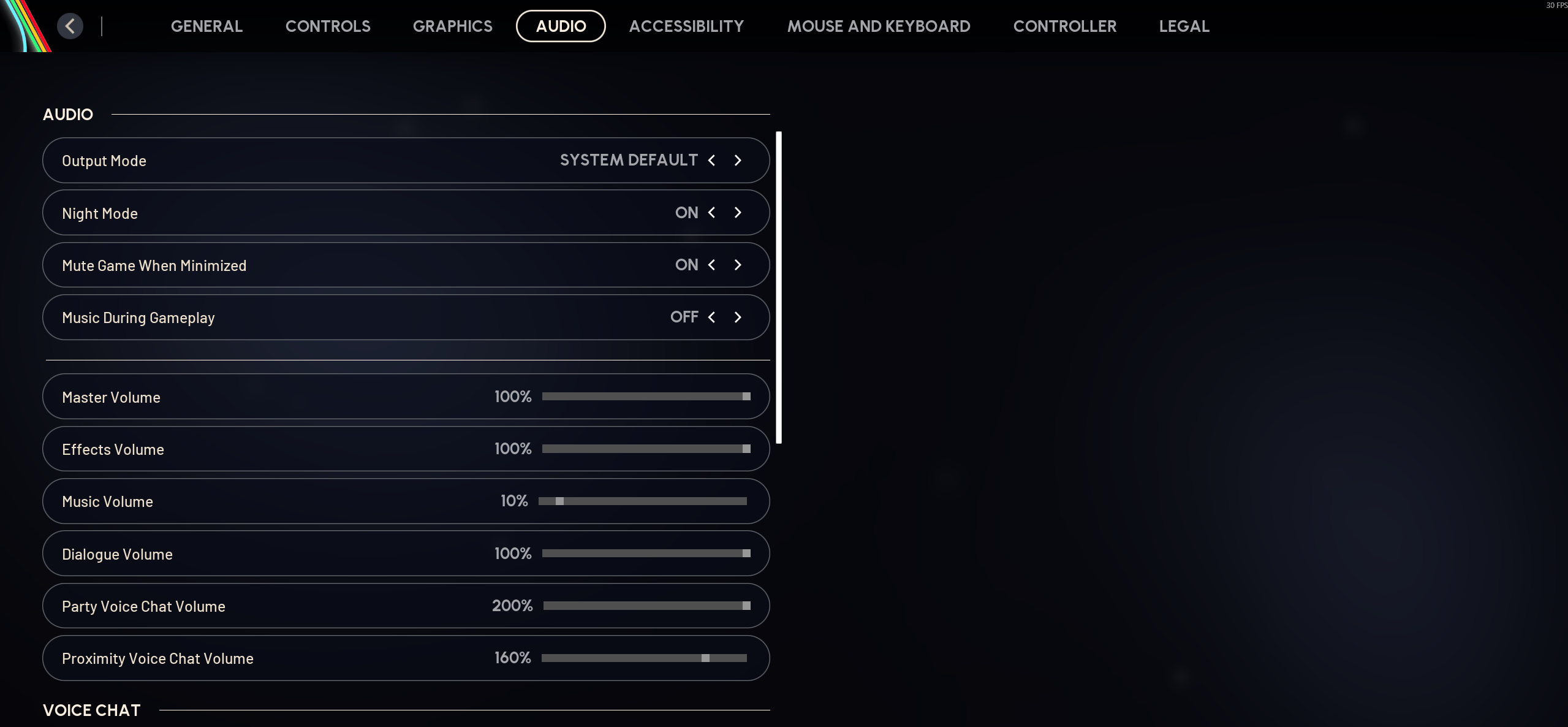
- Night Mode: OFF if using EQ • ON if not using EQ
- SFX Volume: 100%
- Music Volume: lower or OFF
- Voice volume: optional
2) Best Arc Raiders EQ preset for footsteps
Footsteps in Arc Raiders contain important frequency peaks in the low-mid and high ranges. Boosting these frequencies improves clarity and detection distance.
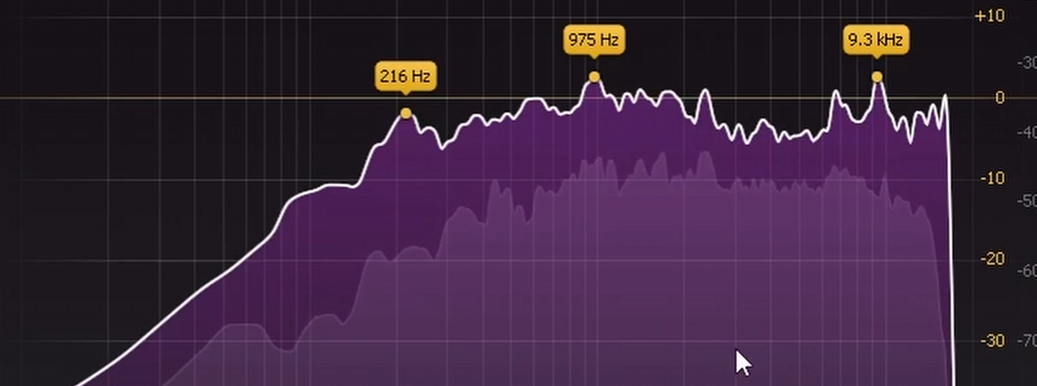
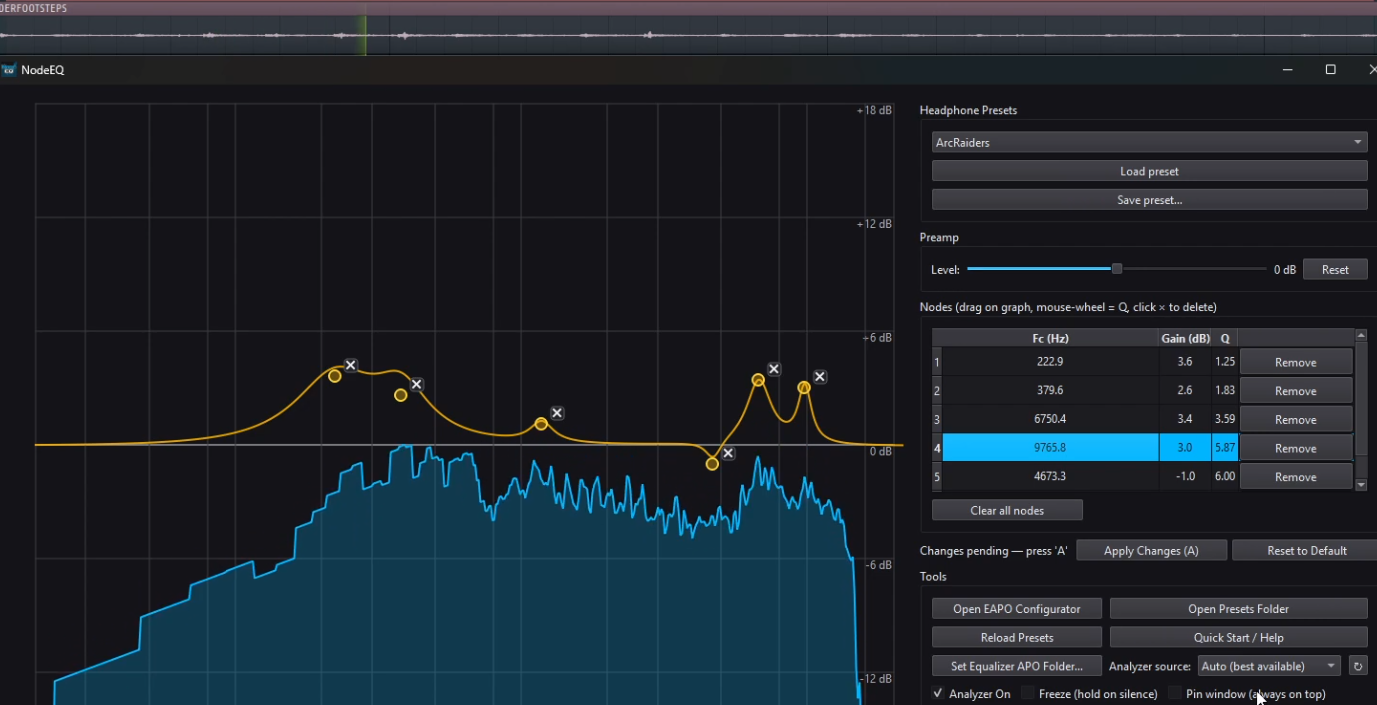
Final EQ (from the video)
This is the final Arc Raiders EQ preset used in the video (Equalizer APO / NodeEQ style).
- 222.9 Hz: +3.6 dB (Q 1.25)
- 379.6 Hz: +2.6 dB (Q 1.83)
- 1174.6 Hz: +1.1 dB (Q 4.37)
- 4666.1 Hz: -1.0 dB (Q 6.00)
- 6750.4 Hz: +3.5 dB (Q 3.59)
- 9765.8 Hz: +3.0 dB (Q 5.87)
This tuning emphasizes the “body” of footsteps in the low-mids, adds clarity/presence, and boosts the higher-frequency texture that helps footsteps cut through ambient noise. If the boosted highs sound sharp on bright headphones, reduce the 6.7k and 9.7k bands slightly.
You can download the preset file directly from my free presets page here: EQ Presets.
3) How to apply Arc Raiders EQ preset
NodeEQ (recommended)
- Download Arc Raiders EQ preset (free) from EQ Presets
- Open NodeEQ
- Click Open Presets Folder
- Drag preset into folder
- Click Refresh
- Select preset and click Apply
AutoSonic
- Download Arc Raiders EQ preset (free) from EQ Presets
- Open AutoSonic
- Click Open Presets Folder
- Drag preset file
- Click Refresh
- Select preset and Apply
Equalizer APO
- Download a preset from EQ Presets
- Copy the
.txtto:C:\Program Files\EqualizerAPO\config - Edit
config.txtand add:Include: YourPresetName.txt - Save → restart audio service or reboot
Why EQ improves Arc Raiders footsteps
EQ improves footsteps by boosting only the important frequency ranges instead of increasing all sounds. This improves clarity while avoiding excessive background noise.
- Hear footsteps earlier
- Improve directional accuracy
- Improve clarity and positioning
- Gain competitive advantage
Conclusion
Using the correct Arc Raiders audio settings and EQ preset significantly improves clarity, positioning, and awareness. For best results, use Night Mode OFF with a properly tuned EQ preset applied through NodeEQ or AutoSonic. If you aren’t using EQ, Night Mode ON can help boost quiet cues — but expect reduced positional accuracy.