
Best Arena Breakout Audio Settings & EQ to Hear Footsteps (2026)
Footsteps are essential in Arena Breakout Infinite. A targeted EQ can make movement easier to pick out through gunfire and the rest of the mix, while the right in-game settings preserve the positional information you need to judge where another player is moving.
This guide covers the best Arena Breakout audio settings, the exact Arena Breakout footstep EQ preset, and the tested Loudness Equalization setting. You can download the preset for free or apply it, analyze the game in real time, and refine it for your headphones directly with DoveSonicEQ.
1) Best Arena Breakout audio settings
Turn Spatial Audio On in Arena Breakout Infinite to preserve clearer positional information. Do not also enable Windows spatial audio or virtual surround in your headphone software, because stacking spatial processing can blur direction and make the result less reliable.
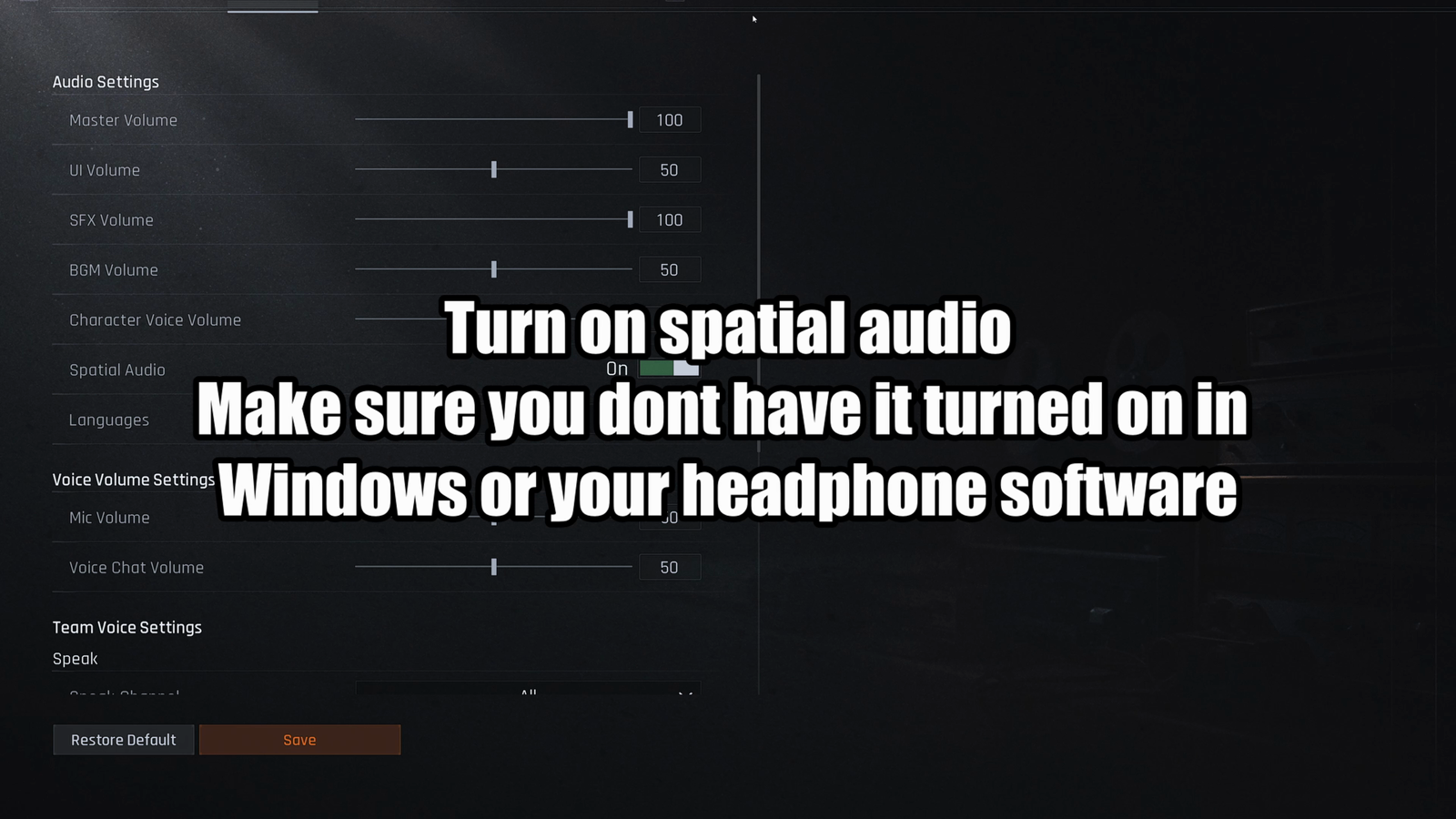
- Spatial Audio: On
- Sound Effects: High
- Music: Low or Off
- Voice and interface audio: Lower it if it covers movement
- Windows or headset spatial audio: Off while the in-game option is active
Arena Breakout's in-game headsets, including options such as Commander, also change the sound. Treat the settings and EQ here as a reliable starting point, then make small adjustments around the in-game headset you actually use.
2) Footstep frequencies in Arena Breakout
Arena Breakout footsteps carry useful information through the lower and middle ranges, which give movement weight and presence. The upper mids contain the sharper detail that helps a step cut through gunfire and other competing sounds.
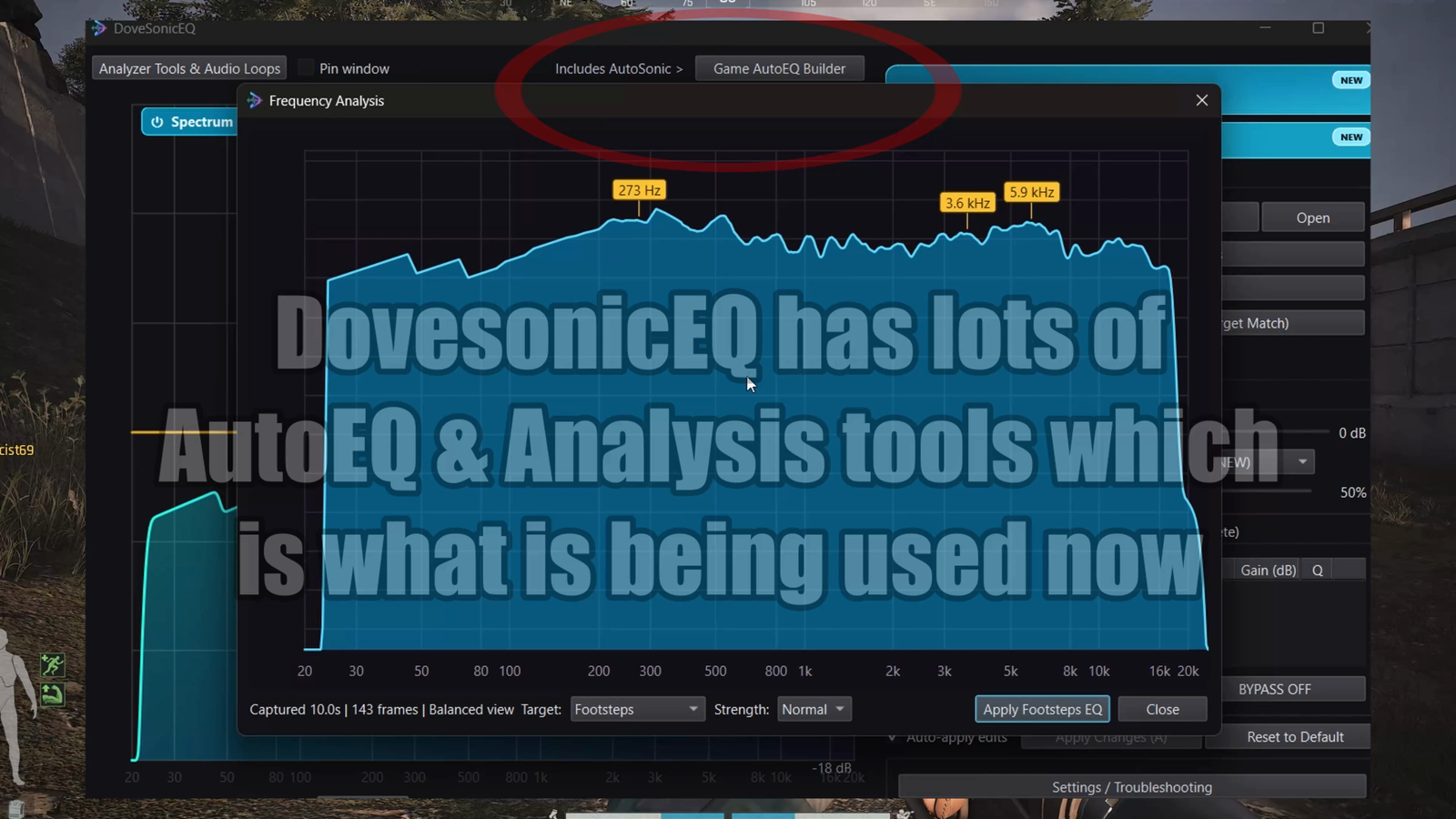
- Around 250 Hz: footstep body and weight
- Around 1.05-1.8 kHz: presence and movement definition
- Around 4 kHz: sharper texture and detail
- Very low bass: reduce it so rumble and gunfire do not mask useful cues
That is why the preset below combines a deep low-end reduction with controlled boosts across several useful areas. It gives footsteps more weight and detail without simply making the entire game brighter.
3) Best Arena Breakout EQ preset for footsteps
This preset was created by analyzing different Arena Breakout footsteps in DoveSonicEQ, including tests with in-game headsets, and then refining the result by ear. Use it as a strong general starting point; your chosen in-game headset and physical headphones can still change the final balance.
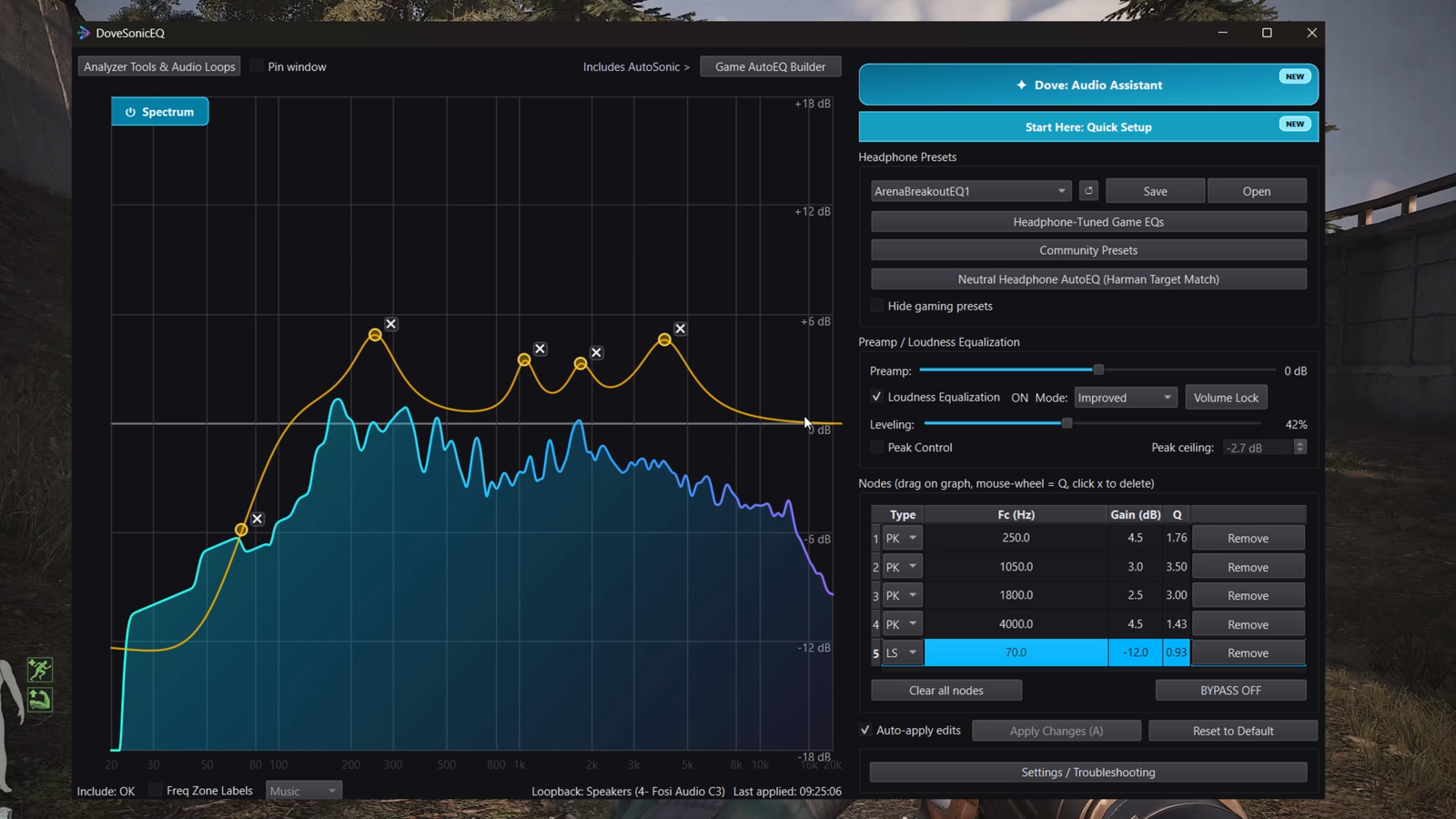
Arena Breakout Footstep EQ
- 70 Hz low shelf: -12.0 dB, Q 0.93
- 250 Hz: +4.5 dB, Q 1.76
- 1050 Hz: +3.0 dB, Q 3.50
- 1800 Hz: +2.5 dB, Q 3.00
- 4000 Hz: +4.5 dB, Q 1.43
The 70 Hz shelf clears deep low-end energy that can mask important sounds. The boosts from 250 Hz through 1.8 kHz reinforce footstep weight and presence, while the broader 4 kHz boost brings forward sharper movement detail without lifting the entire treble range.
4) How to apply the Arena Breakout EQ
Use DoveSonicEQ for the complete setup
DoveSonicEQ includes the Arena Breakout preset, a live spectrum and editable EQ, built-in Loudness Equalization, headphone-specific game presets, and the Dove AI assistant for creating or refining a curve from your listening feedback.
- Open DoveSonicEQ and select the Arena Breakout preset
- Choose a headphone-specific Arena Breakout version if one is available for your model
- Apply the preset and test it with the in-game headset you normally use
- Use the live analyzer or Dove AI assistant for small refinements
- Keep enough headroom and lower strong boosts if your audio clips
Use the free preset in DoveSonicEQ
Download the free preset above and import it directly into DoveSonicEQ. It gives you the Arena Breakout preset, headphone-specific choices, live analysis, AI refinement, and Loudness Equalization together in one app.
5) Best Loudness Equalization setting for Arena Breakout
Loudness Equalization raises quieter details such as distant footsteps while keeping louder sounds under better control. Testing found 42% to be the sweet spot for Arena Breakout: quiet movement becomes easier to hear without completely crushing the dynamics used to judge distance.
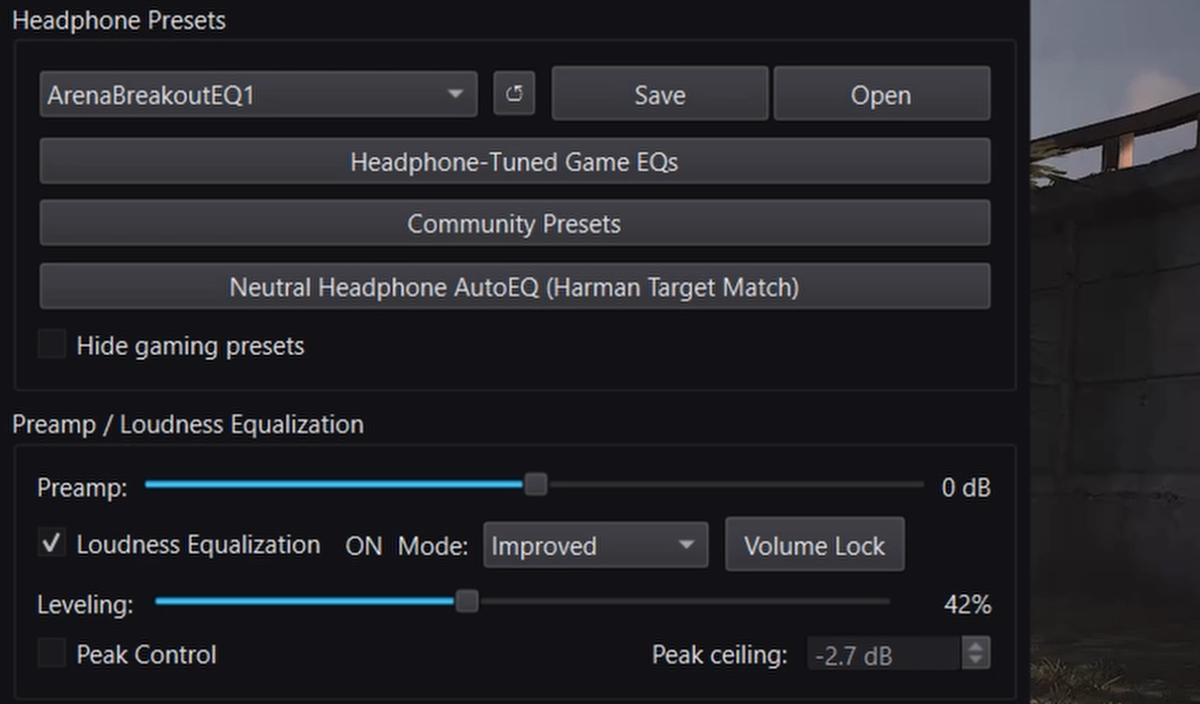
- Start at 42%
- Increase slightly if distant footsteps remain too quiet
- Reduce it if nearby and distant sounds begin to feel too similar
- Use Peak Control if louder sounds become uncomfortable
DoveSonicEQ includes Loudness Equalization and Peak Control in the same app, so you can compare the EQ alone against the complete setup and adjust the result without leaving the game workflow.
FAQ
Should Spatial Audio be on in Arena Breakout?
Yes, use the in-game Spatial Audio setting for positional information. Turn off Windows spatial audio and virtual surround in your headset software so you do not stack multiple spatial effects.
Does EQ help footsteps in Arena Breakout?
Yes. EQ can reduce deep low-end masking and emphasize the low-mid, mid, and upper-mid ranges that carry footstep weight and detail. In-game headsets change the mix, so test the result with the one you actually use.
Why use 42% Loudness Equalization?
Testing found 42% to lift quiet footsteps and small movement sounds without flattening distance as aggressively as a much higher setting. Treat it as a starting point and adjust slightly for your headphones and preference.
Why use DoveSonicEQ for Arena Breakout?
DoveSonicEQ combines the Arena Breakout EQ, headphone-specific preset options, real-time analysis, Loudness Equalization, Peak Control, and Dove AI-assisted refinement in one workflow. Download the free preset above and open it in DoveSonicEQ to get started.