
Best PUBG Audio Settings & EQ to Hear Footsteps (2026)
Hearing footsteps in PUBG gives you time to identify an enemy's direction, prepare for a push, or avoid walking into an occupied building. PUBG footsteps are especially dependent on surface texture and upper-mid detail, so a precise EQ works better than simply turning up the bass.
This guide covers the best PUBG audio settings, the exact PUBG footstep EQ preset, and a useful Loudness Equalization range. You can download the preset for free, apply it with DoveSonicEQ for the combined EQ, preset, analyzer, and loudness workflow (or NodeEQ for a manual-only setup).
1) Best PUBG audio settings
The most important PUBG audio option is HRTF. Keep it turned on because it improves directional positioning, including front-to-back and vertical cues.
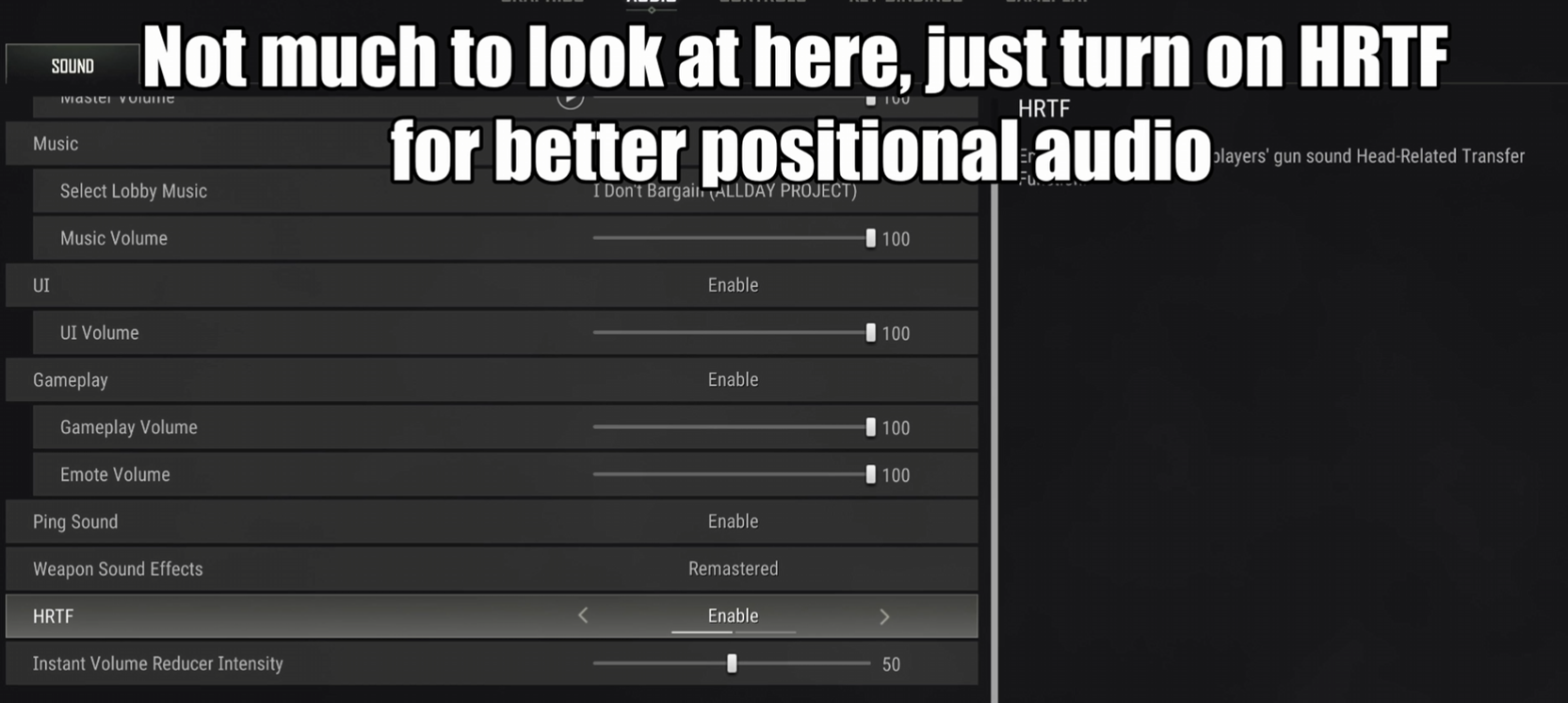
- HRTF: On
- Master Volume: High enough to hear quiet movement comfortably
- Gameplay Volume: High
- Music Volume: Low or Off
- UI and unnecessary sounds: Lower to preference
HRTF and EQ solve different problems. HRTF helps place a sound in space, while EQ makes the useful part of the footstep easier to hear through wind, ambience, vehicles, and combat.
2) Footstep frequencies in PUBG
PUBG footsteps are more upper-mid focused than bass-heavy games such as Rainbow Six Siege. The exact sound changes with grass, dirt, wood, concrete, and indoor surfaces, but the most consistently useful information sits around 1-4 kHz.
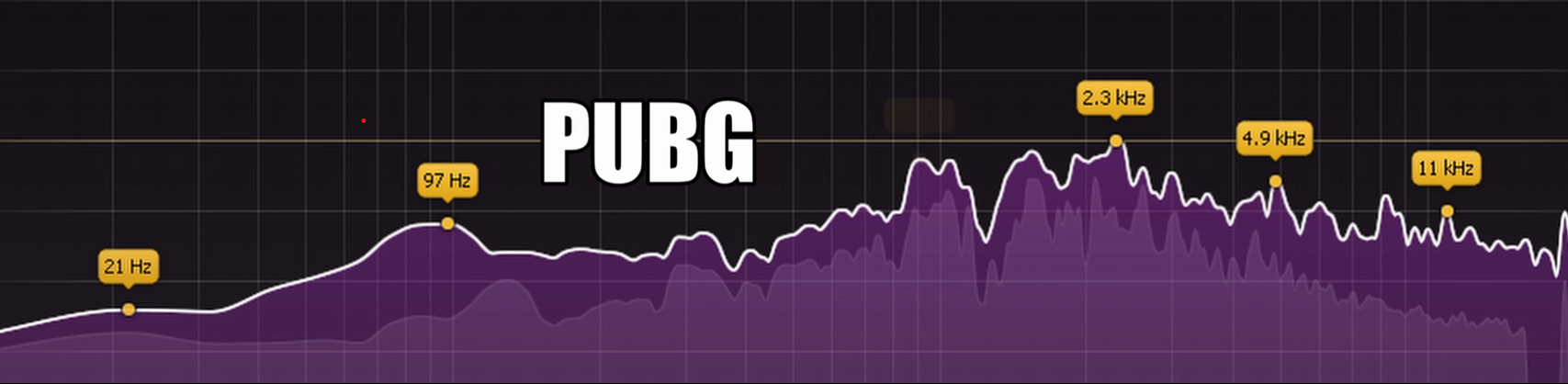
- Around 150 Hz: a small amount of footstep body
- Around 350-450 Hz: wind and muddy energy can build up here
- 1-2.3 kHz: presence and surface texture
- Around 4.1 kHz: strong edge and footstep definition
Many other PUBG sounds overlap these ranges, so broad, extreme boosts can make the game tiring without improving tracking. The preset uses narrow, controlled bands and removes some 450 Hz energy before emphasizing the important upper mids.
3) Best PUBG EQ preset for footsteps
This preset was built by watching PUBG's spectrum in real time and tuning around different footstep surfaces. It retains enough low-end body to avoid thin footsteps, reduces a muddy and wind-heavy area, and emphasizes the ranges that carry definition.
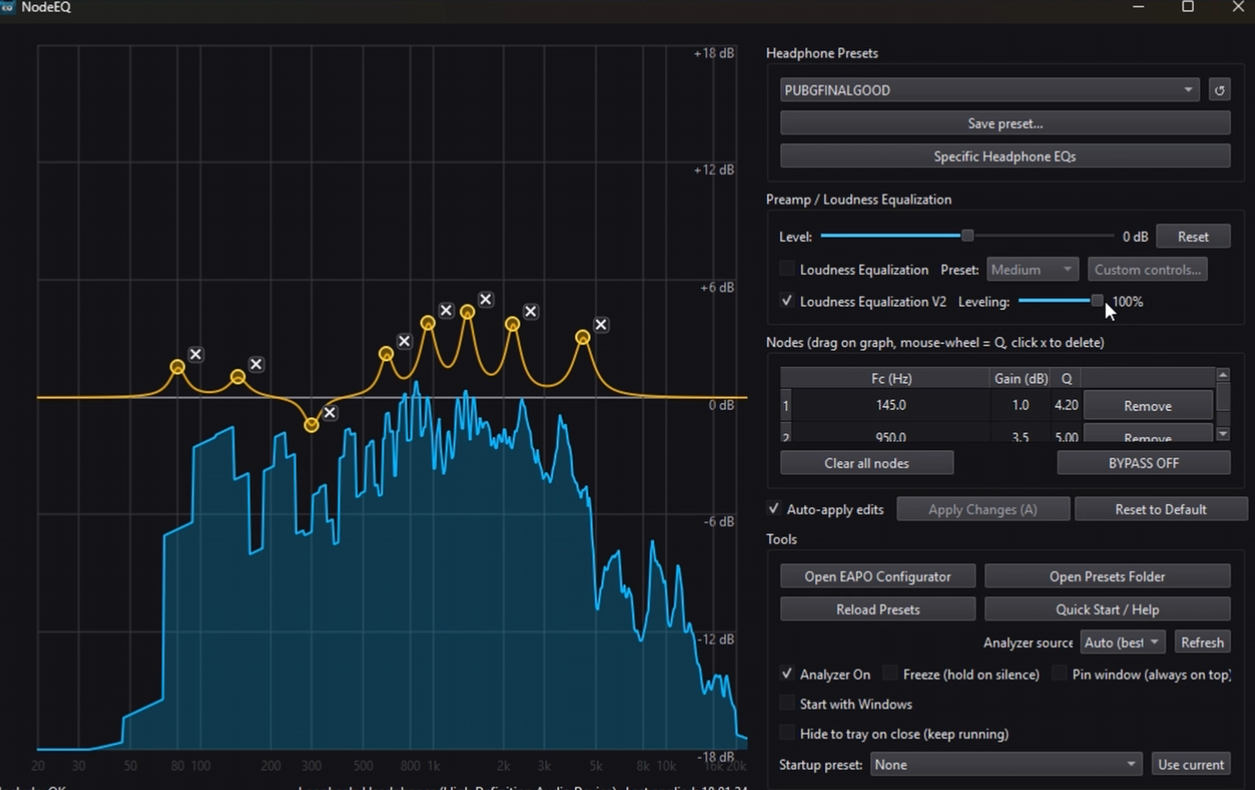
PUBG Footstep EQ
- 150 Hz: +3.0 dB, Q 4.00
- 450 Hz: -2.0 dB, Q 5.20
- 1010 Hz: +3.0 dB, Q 4.50
- 1505 Hz: +2.5 dB, Q 6.00
- 2300 Hz: +4.5 dB, Q 4.50
- 4100 Hz: +6.0 dB, Q 3.50
The small 150 Hz boost prevents footsteps from sounding hollow. The 450 Hz cut reduces wind and midrange buildup, while the boosts from 1.01-4.1 kHz bring out surface texture and make each step more defined.
If wind remains distracting on your headphones, reduce the 350-450 Hz region slightly more. If the preset sounds too sharp, lower the 4.1 kHz boost by 1-2 dB.
4) How to apply the PUBG EQ
Use DoveSonicEQ for the complete setup
DoveSonicEQ includes the PUBG preset, a live spectrum and editable EQ, built-in Loudness Equalization, headphone-specific game presets, and the Dove AI assistant. Open DoveSonicEQ, pick the PUBG preset, and adjust loudness to taste.
Apply and tune it with NodeEQ
This PUBG preset was developed with NodeEQ. Its live spectrum lets you see where footsteps and background sounds are appearing while you edit the EQ in the same window, then apply the result system-wide through Equalizer APO.
- Download the PUBG preset above
- Open NodeEQ and click Open Presets Folder
- Move the preset into that folder and click Refresh
- Select the PUBG preset and click Apply
- Use the live analyzer to make small headphone-specific corrections
Use DoveSonicEQ for the all-in-one workflow
DoveSonicEQ expands the same core workflow with built-in Loudness Equalization, Game AutoEQ, volume tools, and game/headphone preset combinations. Instead of moving between Windows settings, EQ files, and separate tools, you can apply the PUBG profile and adjust loudness from one place.
NodeEQ is ideal if you want a focused EQ and analyzer. DoveSonicEQ is the better fit if you want the presets and loudness features already integrated and expect to switch between several games or headphones.
5) Best Loudness Equalization setting for PUBG
Loudness Equalization raises the sound floor so distant or quiet movement is easier to hear. A useful PUBG range is roughly 50-80%, but start near 60% and increase it only if quiet footsteps remain difficult to detect.
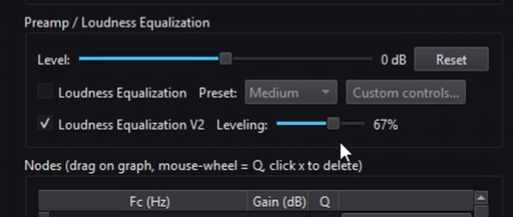
- 50-60%: more natural distance information
- 60-80%: stronger quiet-sound lift
- Maximum: not recommended if you need to judge distance accurately
Too much compression can make a distant enemy sound as though they are beside you. Use enough to expose quiet movement while preserving a clear difference between near and far sounds. DoveSonicEQ provides a direct slider so you can tune this balance while the EQ remains active.
FAQ
Should HRTF be on in PUBG?
Yes. HRTF helps with positional audio, especially front-to-back and vertical direction. Keep it on unless you have a specific compatibility problem with another spatial-audio layer.
What frequencies contain footsteps in PUBG?
The surface changes the exact sound, but much of the useful definition is between approximately 1 and 4 kHz. A smaller amount of lower-frequency energy gives the step body.
Does Loudness Equalization help in PUBG?
It can make distant and quiet footsteps easier to notice. Start around 60%; very high settings may reduce your ability to judge how far away an enemy is.
Should I use NodeEQ or DoveSonicEQ?
Use NodeEQ for a focused live-analyzer and manual EQ workflow. Choose DoveSonicEQ if you also want built-in Loudness Equalization, Game AutoEQ, volume tools, and integrated game/headphone presets.