
Best Delta Force Audio Settings & EQ to Hear Footsteps (2026)
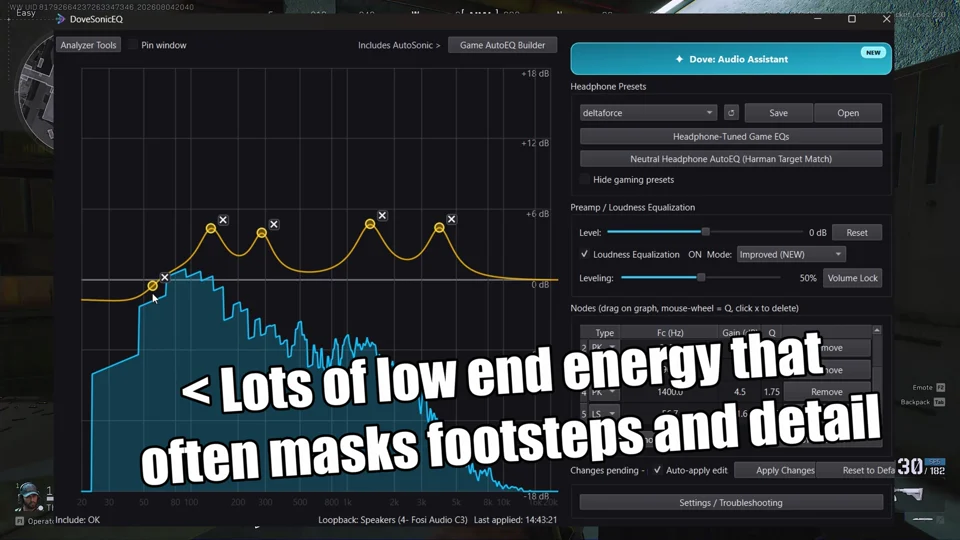
Explosions and vehicles can bury quiet footsteps in Delta Force. In my video, I analyzed the game audio in DoveSonicEQ, cut the deep rumble, then brought out the weight of a step and the details that help it stand out.
Copy the Delta Force in-game audio settings and the exact five-band footstep EQ from the video. The preset is ready in DoveSonicEQ, including headphone-tuned options for supported models. There’s also a free Equalizer APO download below.
1) Best Delta Force audio settings
Use HRTF on headphones. Select Object-based Binaural Audio, the option shown in the video. Use your active headphones as the playback device and leave Multi-Channel Output off for this stereo headset setup. Turn off extra surround in Windows and your headset app while you test the game’s own HRTF.
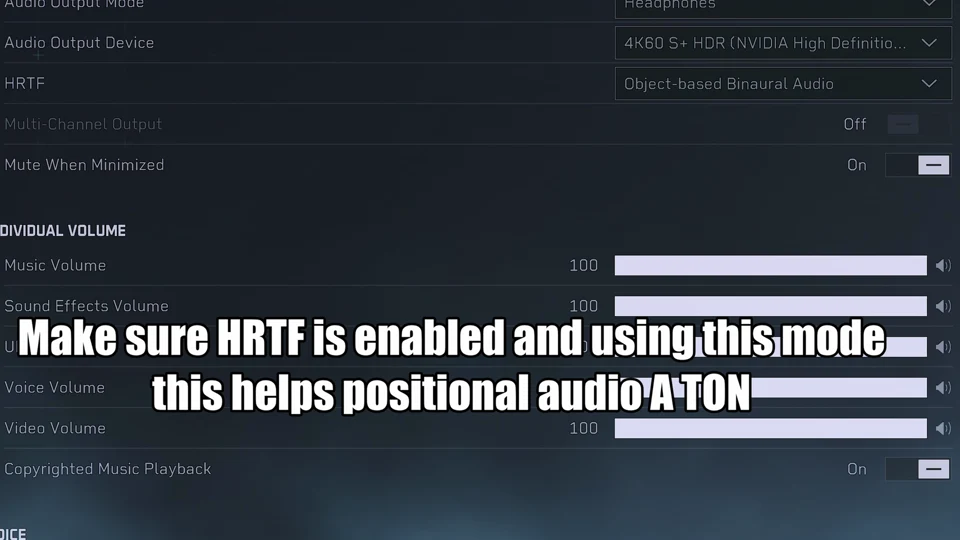
Keep sound effects at 100 and use the master or headset volume to stay comfortable. Lower music and trim voice volume only as far as you can still hear callouts. In Operations, compare a stairwell approach with a room next door. In Warfare, repeat the same movement route near a vehicle or louder effects to hear what still masks it.
2) Footstep frequencies in Delta Force
I started with a low shelf to pull back the deep bass from vehicles and explosions. In the clips I tested, the 135 and 285 Hz bands helped bring out the body of steps. The 1.4 and 3.9 kHz boosts bring out finer movement details. These are EQ band centers for this preset. What you hear still depends on the surface, distance, and headphones.
3) Best Delta Force EQ preset for footsteps
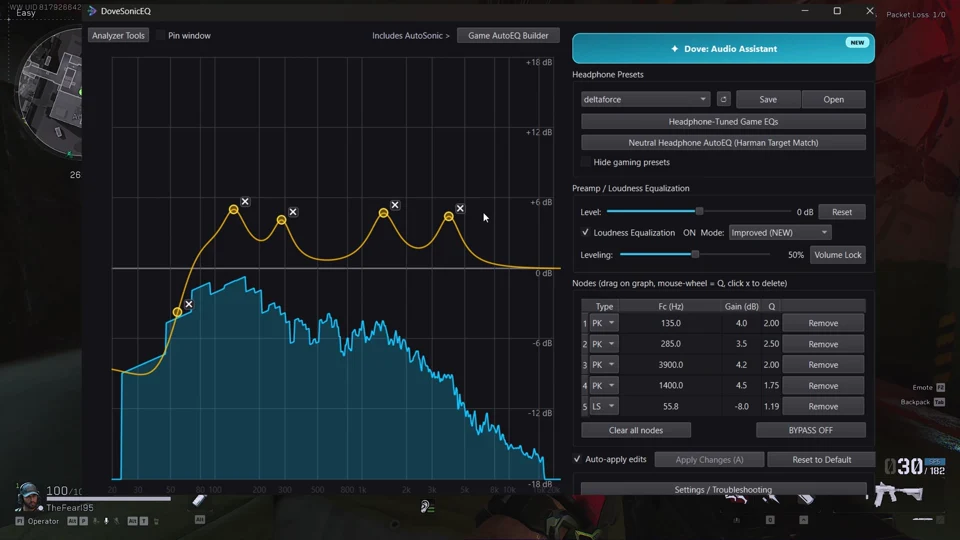
Delta Force Footstep EQ
- 55.8 Hz low shelf: −8.0 dB, Q 1.19
- 135 Hz: +4.0 dB, Q 2.00
- 285 Hz: +3.5 dB, Q 2.50
- 1,400 Hz: +4.5 dB, Q 1.75
- 3,900 Hz: +4.2 dB, Q 2.00
Try the five bands first with Loudness Equalization bypassed. Compare the same footsteps with EQ off and on at a similar overall level. Listen for the first step after a loud effect and whether you can still place it.
Download the free Delta Force EQ preset Hear the EQ off/on comparison
4) How to apply the Delta Force EQ
Use DoveSonicEQ for the complete setup
Choose Delta Force in DoveSonicEQ and audition the factory preset. If your headphone model has a tuned option, compare it on the same route. The app also gives you adjustable Loudness Equalization, a live spectrum, and the Dove AI assistant for refining the curve.
Use NodeEQ or Equalizer APO
In NodeEQ, put the downloaded file in the presets folder, refresh the list, select Delta Force and apply it. For plain Equalizer APO, follow the preset setup guide and add the file to the active configuration. The download contains the five EQ filters. Loudness Equalization is adjusted separately in the app.
5) Best Loudness Equalization setting for Delta Force
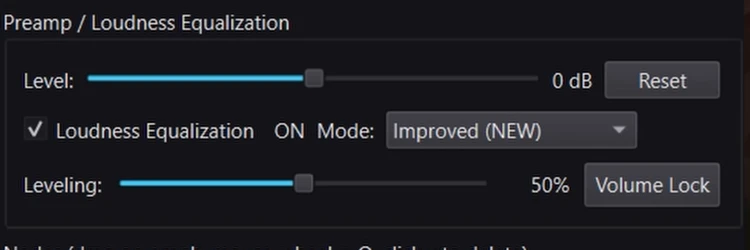
I show 50% in the final setup and mention around 60% during the video as a test point. Start around 50%, then try 60% if quiet steps still get lost. Back it down if distant footsteps feel too close or background sounds get distracting. Test with one near route and one farther away before taking it into a match.
Watch the Loudness Equalization explanation · Hear the separate Dove Footstep Boost demo
DoveSonicEQ for Windows
Load the Delta Force preset from the video
Choose Delta Force, check the live spectrum and use bypass to compare the same route. Then dial in Loudness Equalization and try a headset-tuned version if your model is supported.
Use the free file for the five filters. DoveSonicEQ brings the preset, visual EQ and adjustable loudness controls into the same Windows app.
Get DoveSonicEQ
Frequently asked questions
Should HRTF be on or off in Delta Force?
For headphones, start with Object-based Binaural Audio, as shown in the video. Disable additional Windows and headset spatial processing during the test.
What is the best Delta Force Loudness Equalization setting?
Start near 50 percent in DoveSonicEQ. Try around 60 percent if you need more lift, then compare nearby and distant steps to check that you can still judge distance.
Can I use the Delta Force EQ with Equalizer APO?
Yes. The free download contains the five filters from the video. Include it in the configuration for the Windows output your game actually uses.
Does this setup work on console?
The video shows the PC menu and Windows EQ. Use the in-game settings available on your console. DoveSonicEQ, NodeEQ, and Equalizer APO run on Windows.